

The AI-Native Software Engineer
AI 原生软件工程师
A practical playbook for integrating AI into your daily engineering workflow
将 AI 融入日常工程工作流的实用指南

An AI-native software engineer is one who deeply integrates AI into their daily workflow, treating it as a partner to amplify their abilities.
AI 原生的软件工程师是将 AI 深度融入日常工作流程,将其视为能力放大器的人。
This requires a fundamental mindset shift. Instead of thinking “AI might replace me” an AI-native engineer asks for every task: “Could AI help me do this faster, better, or differently?”.
这需要根本性的思维转变。AI 原生工程师不会想着"AI 可能会取代我",而是对每项任务都思考:"AI 能否帮助我更快、更好或以不同方式完成?"
The mindset is optimistic and proactive - you see AI as a multiplier of your productivity and creativity, not a threat. With the right approach AI could 2x, 5x or perhaps 10x your output as an engineer. Experienced developers especially find that their expertise lets them prompt AI in ways that yield high-level results; a senior engineer can get answers akin to what a peer might deliver by asking AI the right questions with appropriate context-engineering.
这种思维是乐观且积极主动的——你将 AI 视为生产力和创造力的倍增器而非威胁。采用正确方法,AI 可能让工程师的产出提升 2 倍、5 倍甚至 10 倍。经验丰富的开发者尤其发现,他们的专业知识使其能够以特定方式引导 AI 获得高级结果;资深工程师通过提出恰当问题并进行上下文工程,能从 AI 获得接近同行水平的答案。

Being AI-native means embracing continuous learning and adaptation - engineers build software with AI-based assistance and automation baked in from the beginning. This mindset leads to excitement about the possibilities rather than fear.
成为 AI 原生意味着拥抱持续学习和适应——工程师从一开始就将基于 AI 的辅助和自动化融入软件开发。这种思维方式带来的是对可能性的兴奋而非恐惧。
Yes, there may be uncertainty and a learning curve - many of us have ridden the emotional rollercoaster of excitement, fear, and back again - but ultimately the goal is to land on excitement and opportunity. The AI-native engineer views AI as a way to delegate the repetitive or time-consuming parts of development (like boilerplate coding, documentation drafting, or test generation) and free themselves to focus on higher-level problem solving and innovation.
确实,这其中可能存在不确定性和学习曲线——我们许多人都经历过从兴奋到恐惧,再回归兴奋的情绪过山车——但最终目标是要落脚于兴奋与机遇。AI 原生工程师将 AI 视为委派重复性或耗时开发任务(如样板代码编写、文档起草或测试生成)的途径,从而解放自己专注于更高层次的问题解决和创新。
Key principle - AI as collaborator, not replacement: An AI-native engineer treats AI like a knowledgeable, if junior, pair-programmer who is available 24/7.
核心原则——AI 是协作者而非替代者:AI 原生工程师将 AI 视为一位知识渊博(尽管资历尚浅)、全天候待命的结对编程伙伴。
You still drive the development process, but you constantly leverage the AI for ideas, solutions, and even warnings. For example, you might use an AI assistant to brainstorm architectural approaches, then refine those ideas with your own expertise. This collaboration can dramatically speed up development while also enhancing quality - if you maintain oversight.
你依然主导开发流程,但会持续借助 AI 获取创意、解决方案甚至风险预警。例如,你可以使用 AI 助手来头脑风暴架构方案,再运用自身专业知识完善这些想法。只要保持监督,这种协作既能显著加快开发速度,又能提升质量。
Importantly, you don’t abdicate responsibility to the AI. Think of it as working with a junior developer who has read every StackOverflow post and API doc: they have a ton of information and can produce code quickly, but you are responsible for guiding them and verifying the output. This “trust, but verify” mindset is crucial and we’ll revisit it later.
重要的是,你不能将责任完全交给 AI。可以把它想象成与一位读过所有 StackOverflow 帖子和 API 文档的初级开发者共事:他们掌握大量信息并能快速生成代码,但你需要负责指导他们并验证输出结果。这种"信任但要验证"的思维方式至关重要,我们稍后还会再次讨论这一点。

Let's be blunt: AI-generated slop is real and is not an excuse for low-quality work. A persistent risk in using these tools is a combination of rubber-stamped suggestions, subtle hallucinations, and simple laziness that falls far below professional engineering standards. This is why the "verify" part of the mantra is non-negotiable. As the engineer, you are not just a user of the tool; you are the ultimate guarantor. You remain fully and directly responsible for the quality, readability, security, and correctness of every line of code you commit.
直白地说:AI 生成的劣质代码确实存在,但这绝不能成为低质量工作的借口。使用这些工具时始终存在的风险包括:机械照搬建议、微妙的幻觉输出以及远低于专业工程标准的懒惰行为。正因如此,"验证"这一环节绝无妥协余地。作为工程师,你不仅是工具的使用者,更是最终的质量保证者。你仍需对你提交的每一行代码的质量、可读性、安全性和正确性承担全部直接责任。
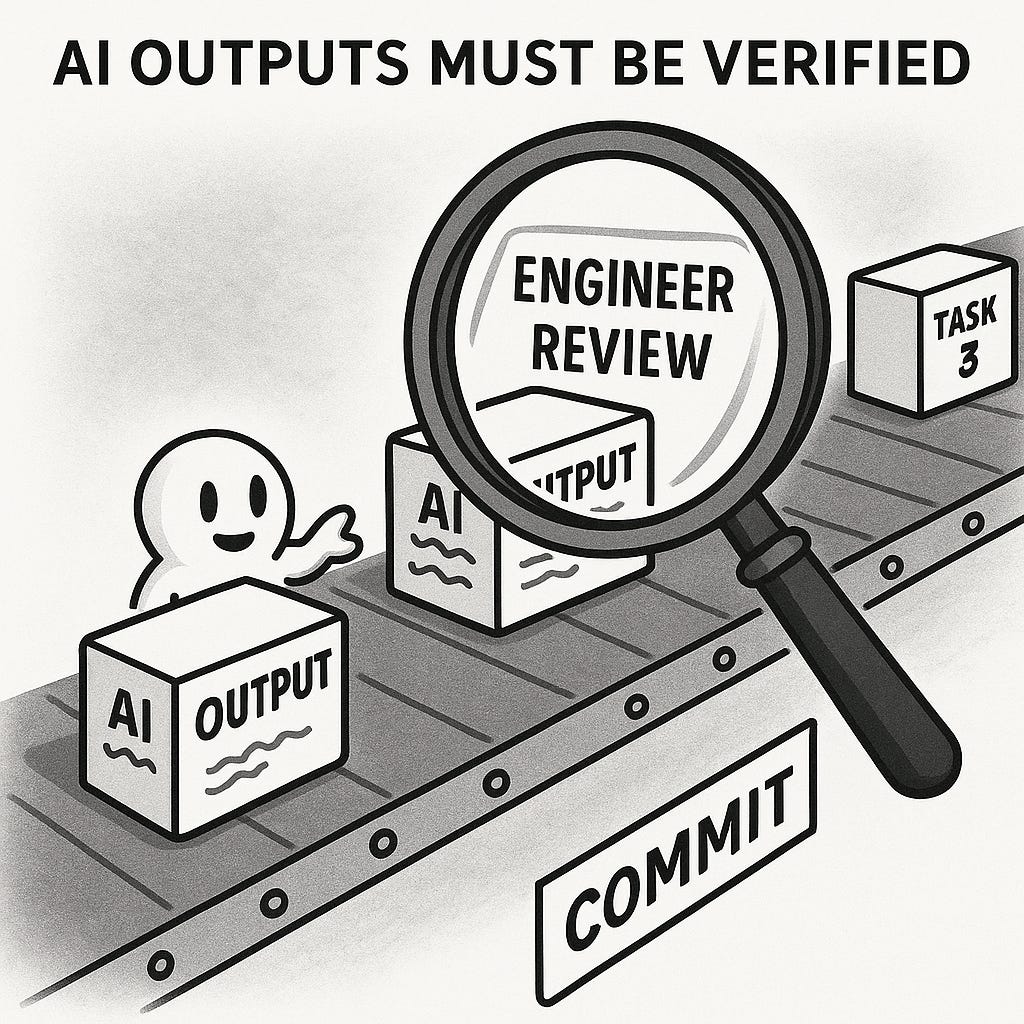
Key principle - Every engineer is a manager now: The role of the engineer is fundamentally changing. With AI agents, you orchestrate the work rather than executing all of it yourself.
核心原则——每位工程师都是管理者:工程师的角色正在发生根本性转变。借助 AI 代理,你需要协调工作而非亲力亲为。
You remain responsible for every commit into main, but you focus more on defining and “assigning” the work to get there. In the not-distant future we may increasingly say “Every engineer is a manager now.” Legitimate work can be directed to background agents like Jules or Codex, or you can task Claude Code/ Gemini CLI/OpenCode with chewing through an analysis or code migration project. The engineer needs to intentionally shape the codebase so that it’s easier for the AI to work with, using rule files (e.g. GEMINI.md), good READMEs, and well-structured code. This puts the engineer into the role of supervisor, mentor, and validator. AI-first teams are smaller, able to accomplish more, and capable of compressing steps of the SDLC to deliver better quality, faster.
你仍需对提交到主分支的每个代码负责,但会将更多精力放在定义和"分配"实现路径的工作上。在不远的未来,我们或许会越来越多地说"现在每个工程师都是管理者"。常规工作可以交由 Jules 或 Codex 等后台代理处理,也可以指派 Claude Code/Gemini CLI/OpenCode 来完成代码分析或迁移项目。工程师需要有意识地塑造代码库结构,通过规则文件(如 GEMINI.md)、完善的 README 文档和良好架构的代码,使其更便于 AI 协作。这使得工程师承担起监督者、指导者和验证者的角色。采用 AI 优先策略的团队规模更小,却能完成更多工作,并能压缩软件开发生命周期的步骤,以更快速度交付更高质量的成果。

High-level benefits: By fully embracing AI in your workflow, you can achieve some serious productivity leaps, potentially shipping more features faster without sacrificing quality (this of course has nuance such as keeping task complexity in mind).
高层次优势:通过在工作流程中全面采用 AI 技术,您能实现显著的效率飞跃,有望在不牺牲质量的前提下更快交付更多功能(当然这需要考虑任务复杂度等细微差别)。
Routine tasks (from formatting code to writing unit tests) can be handled in seconds. Perhaps more importantly, AI can augment your understanding: it’s like having an expert on call to explain code or propose solutions in areas outside your normal expertise. The result is that an AI-native engineer can take on more ambitious projects or handle the same workload with a smaller team. In essence, AI extends what you’re capable of, allowing you to work at a higher level of abstraction. The caveat is that it requires skill to use effectively - that’s where the right mindset and practices come in.
常规任务(从代码格式化到编写单元测试)都能在几秒内完成。更重要的是,AI 能扩展你的理解能力:就像随时有位专家待命,为你解释代码或在非专业领域提出解决方案。其结果是,AI 原生工程师能承担更宏大的项目,或以更精简的团队完成同等工作量。本质上,AI 延伸了你的能力边界,让你能在更高抽象层级上工作。需要注意的是,有效使用 AI 需要技巧——这正是正确思维方式和实践方法的价值所在。
Example - Mindset in action: Imagine you’re debugging a tricky issue or evaluating a new tech stack. A traditional approach might involve lots of Googling or reading documentation. An AI-native approach is to engage an AI assistant that supports Search grounding or deep research: describe the bug or ask for pros/cons of the tech stack, and let the AI provide insights or even code examples.
示例 - 实战中的思维方式:假设你正在调试一个棘手问题或评估新技术栈。传统方法可能涉及大量谷歌搜索或查阅文档。而 AI 原生方法则是调用支持搜索锚定或深度研究的 AI 助手:描述错误或询问技术栈的优缺点,让 AI 提供见解甚至代码示例。
You remain in charge of interpretation and implementation, but the AI accelerates gathering information and possible solutions. This collaborative problem-solving becomes second nature once you get used to it. Make it a habit to ask, “How can AI help with this task?” until it’s reflex. Over time you’ll develop instincts for what AI is good at and how to prompt it effectively.
你依然掌控着解读与实施的主动权,但 AI 能加速信息收集和方案探索。这种协作式解决问题的方式一旦习惯就会成为本能。要养成"AI 如何协助这个任务?"的条件反射式提问习惯。久而久之,你将培养出对 AI 擅长领域和有效提示技巧的敏锐直觉。
In summary, being AI-native means internalizing AI as a core part of how you think about solving problems and building software. It’s a mindset of partnership with machines: using their strengths (speed, knowledge, pattern recognition) to complement your own (creativity, judgment, context). With this foundation in mind, we can move on to practical steps for integrating AI into your daily work.
总之,成为 AI 原生开发者意味着将 AI 内化为解决问题的核心思维方式。这是一种人机协作的思维模式:利用机器的优势(速度、知识储备、模式识别)来补足人类的长处(创造力、判断力、情境理解)。基于这个核心理念,接下来我们将探讨如何将 AI 融入日常开发工作的具体实践方法。
Getting Started - Integrating AI into your daily workflow
快速入门 - 将 AI 融入日常工作流
Adopting an AI-native workflow can feel daunting if you’re completely new to it. The key is to start small and build up your AI fluency over time. In this section, we’ll provide concrete guidance to go from zero to productive with AI in your day-to-day engineering tasks.
对于完全初涉 AI 原生工作流的人来说,这可能会令人望而生畏。关键在于从小处着手,逐步提升 AI 应用能力。本节将提供具体指导,帮助你在日常工程任务中实现从零到高效运用 AI 的跨越。
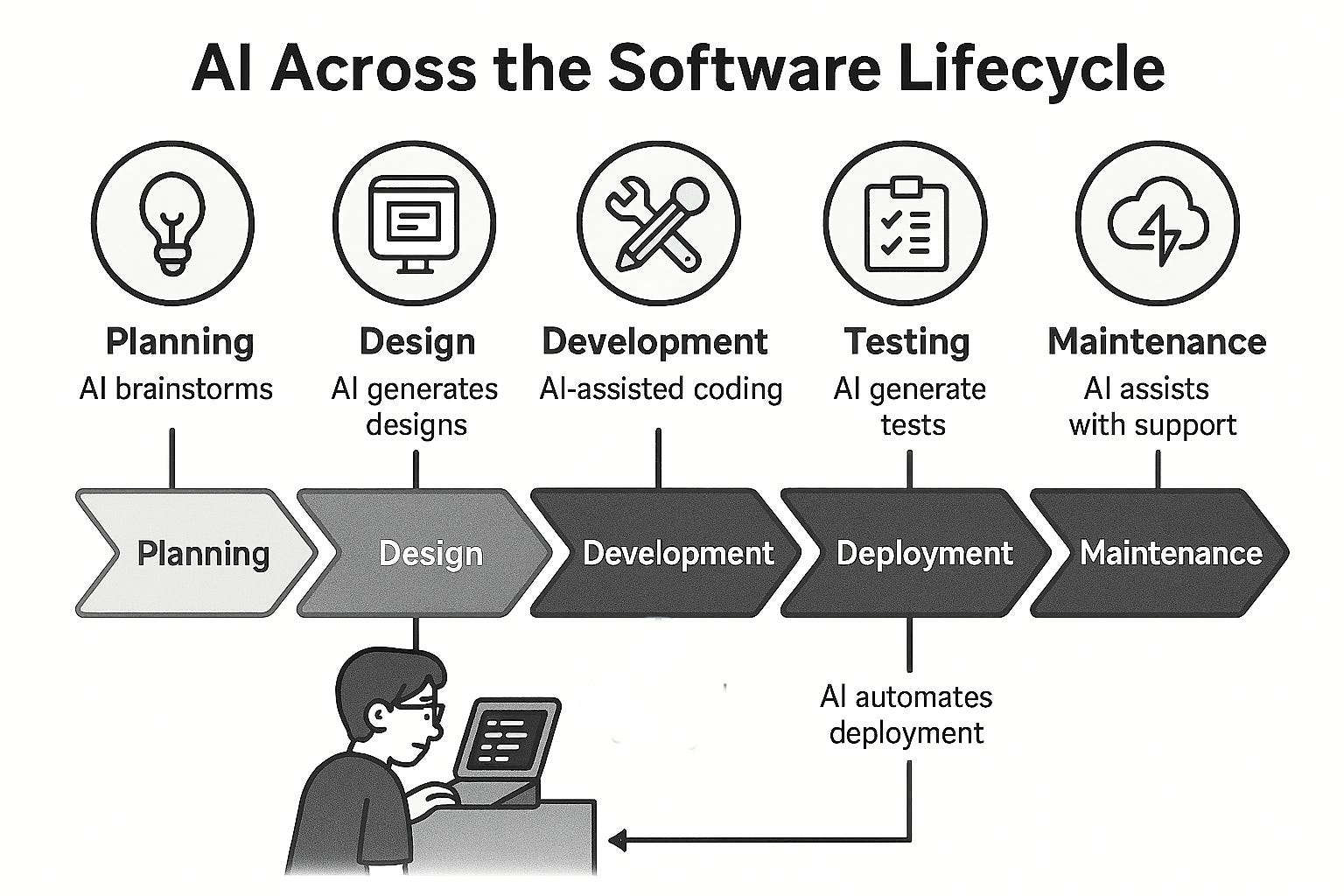
The above is a speculative look at where we may end up with AI in the software lifecycle. I continue to strongly believe human-in-the-loop (engineering, design, product, UX etc) will be needed to ensure that quality doesn’t suffer.
以上是对人工智能在软件生命周期中可能发展方向的推测性展望。我始终坚信,为了确保质量不受影响,人类参与(包括工程、设计、产品、用户体验等领域)的闭环机制仍不可或缺。
Step 1: The first change? You often start with AI.
第一步:首要改变?你通常会从 AI 开始。
An AI-native workflow isn’t about occasionally looking for tasks AI can help with; it's often about giving the task to an AI model first to see how it performs. One team noted:
AI 原生工作流并非偶尔寻找 AI 能协助的任务;而往往是先将任务交给 AI 模型,观察其表现如何。一个团队指出:
The typical workflow involves giving the task to an AI model first (via Cursor or a CLI program)... with the understanding that plenty of tasks are still hit or miss.
典型的工作流程首先将任务交给 AI 模型处理(通过 Cursor 或 CLI 程序)...同时要明白许多任务的结果仍具有不确定性。
Are you studying a domain or a competitor? Start with Gemini Deep Research. Find yourself stuck in an endless debate over some aspect of design? While your team argued, you could have built three prototypes with AI to prove out the idea. Googlers are already using it to build slides, debug production incidents, and much more.
你在研究某个领域或竞争对手吗?从 Gemini 深度研究开始。发现自己陷入设计细节的无尽争论?当团队还在辩论时,你本可以用 AI 快速构建三个原型来验证想法。谷歌员工已经在用它制作幻灯片、调试生产事故等等。
When you hear “But LLMs hallucinate and chatbots give lousy answers” it's time to update your toolchain. Anybody seriously coding with AI today is using agents. Hallucinations can be significantly mitigated and managed with proper context engineering and agentic feedback loops. The mindset shift is foundational: all of us should be AI-first right now.
当你听到"但 LLMs 会产生幻觉且聊天机器人给出的答案很糟糕"时,就该更新你的工具链了。如今任何认真使用 AI 编程的人都在使用智能体。通过恰当的上下文工程和智能体反馈循环,可以显著减少并管理幻觉问题。思维转变是基础:我们所有人都应该立即转向 AI 优先。
Step 2: Get the right AI tools in place.
第二步:配备合适的 AI 工具。
To integrate AI smoothly, you’ll want to set up at least one coding assistant in your environment. Many engineers start with GitHub Copilot in VS Code which has code autocomplete and code generation capabilities. If you use an IDE like VS Code, consider installing an AI extension (for example, Cursor is a dedicated AI-enhanced code editor, and Cline is a VS Code plugin for an AI agent - more on these later). These tools are great for beginners because they work in the background, suggesting code in real-time for whatever file you’re editing. Outside your editor, you might also explore ChatGPT, Gemini or Claude in a separate window for question-answer style assistance. Starting with tooling is important because it lowers the friction to use AI. Once installed, the AI is only a keystroke away whenever you think “maybe the AI can help with this.”
要顺畅地集成 AI,你至少需要在开发环境中配置一个编码助手。许多工程师会从 VS Code 中的 GitHub Copilot 开始,它具备代码自动补全和生成功能。如果你使用 VS Code 这类 IDE,可以考虑安装 AI 扩展(例如 Cursor 是专为 AI 增强设计的代码编辑器,而 Cline 则是 VS Code 的 AI 代理插件——后续会详细介绍)。这些工具对初学者非常友好,它们能在后台运行,实时为你正在编辑的文件提供代码建议。在编辑器之外,你还可以在独立窗口中使用 ChatGPT、Gemini 或 Claude 进行问答式辅助。从工具入手很重要,因为这能降低使用 AI 的门槛。一旦安装完成,每当你想"或许 AI 能帮上忙"时,只需一个按键就能召唤 AI 助手。
Step 3: Learn prompt basics - be specific and provide context.
第三步:学习提示基础 - 具体明确并提供上下文。
Using AI effectively is a skill, and the core of that skill is prompt engineering. A common mistake new users make is giving the AI an overly vague instruction and then being disappointed with the result. Remember, the AI isn’t a mind reader; it reacts to the prompt you give. A little extra context or clarity goes a long way. For instance, if you have a piece of code and you want an explanation or unit tests for it, don’t just say “Write tests for this.” Instead, describe the code’s intended behavior and requirements in your prompt. Compare these two prompts for writing tests for a React login form component:
高效运用 AI 是一项技能,而这项技能的核心在于提示词工程。新手常犯的错误是给 AI 过于模糊的指令,然后对结果感到失望。请记住,AI 不会读心术,它只会对你给出的提示作出反应。多提供一点上下文或明确要求就能显著改善效果。例如,如果你有一段代码需要解释或单元测试,不要只说"为这个写测试",而应在提示中描述代码的预期行为和需求。对比以下两个为 React 登录表单组件编写测试的提示示例:
Poor prompt: “Can you write tests for my React component?”
糟糕的提示:"你能为我的 React 组件写测试吗?"Better prompt: “I have a LoginForm React component with an email field, password field, and submit button. It displays a success message on successful submit and an error message on failure, via an onSubmit callback. Please write a Jest test file that: (1) renders the form, (2) fills in valid and invalid inputs, (3) submits the form, (4) asserts that onSubmit is called with the right data, and (5) checks that success and error states render appropriately.”
更优提示词:"我有一个包含邮箱输入框、密码输入框和提交按钮的 LoginForm React 组件。它通过 onSubmit 回调在提交成功时显示成功消息,失败时显示错误消息。请编写一个 Jest 测试文件,要求:(1)渲染表单,(2)填写有效和无效输入,(3)提交表单,(4)断言 onSubmit 是否以正确数据被调用,(5)检查成功和错误状态是否正确渲染。"
The second prompt is longer, but it gives the AI exactly what we need. The result will be far more accurate and useful because the AI isn’t guessing at our intentions - we spelled them out. In practice, spending an extra minute to clarify your prompt can save you hours of fixing AI-generated code later.
第二条提示虽然更长,但它准确传达了我们的需求。这样生成的结果将更加精确实用,因为 AI 无需猜测我们的意图——我们已经明确说明。实际上,多花一分钟完善提示语,能为您节省数小时修正 AI 生成代码的时间。

Effective prompting is such an important skill that Google has published entire guides on it (see Google’s Prompting Guide 101 for a great starting point). As you practice, you’ll get a feel for how to phrase requests. A couple of quick tips: be clear about the format you want (e.g., “return the output as JSON”), break complex tasks into ordered steps or bullet points in your prompt, and provide examples when possible. These techniques help the AI understand your request better.
有效的提示技巧是一项至关重要的技能,谷歌甚至为此发布了完整的指南(可参考《谷歌提示工程入门指南》作为学习起点)。通过不断练习,您将逐渐掌握如何精准表达需求。以下快速技巧:明确指定输出格式(例如"以 JSON 格式返回结果"),将复杂任务分解为有序步骤或要点列示,并尽可能提供示例。这些方法能帮助 AI 更准确地理解您的需求。
Step 4: Use AI for code generation and completion.
第四步:利用 AI 进行代码生成与补全。
With tools set up and a grasp of how to prompt, start applying AI to actual coding tasks. A good first use-case is generating boilerplate or repetitive code. For instance, if you need a function to parse a date string in multiple formats, ask the AI to draft it. You might say: “Write a Python function that takes a date string which could be in formats X, Y, or Z, and returns a datetime object. Include error handling for invalid formats.”
工具配置就绪并掌握提示技巧后,便可开始将 AI 应用于实际编码任务。首选的适用场景是生成样板代码或重复性代码。例如,若需编写能解析多种日期格式字符串的函数,可要求 AI 起草代码。提示语可以是:"编写一个 Python 函数,能处理 X、Y 或 Z 格式的日期字符串并返回 datetime 对象,需包含对无效格式的错误处理。"
The AI will produce an initial implementation. Don’t accept it blindly - read through it and run tests. This hands-on practice builds your trust in when the AI is reliable. Many developers are pleasantly surprised at how the AI produces a decent solution in seconds, which they can then tweak. Over time, you can move to more significant code generation tasks, like scaffolding entire classes or modules. As an example, Cursor even offers features to generate entire files or refactor code based on a description. Early on, lean on the AI for helper code - things you understand but would take time to write - rather than core algorithmic logic that’s critical. This way, you build confidence in the AI’s capabilities on low-risk tasks.
AI 将生成初步实现代码。切勿盲目接受——务必通读并运行测试。这种实践能帮助你建立对 AI 可靠性的判断。许多开发者惊喜地发现,AI 能在数秒内产出可用方案,稍加调整即可使用。随着经验积累,可逐步转向更重要的代码生成任务,如搭建完整类或模块的脚手架。以 Cursor 为例,该工具甚至能根据描述生成完整文件或重构代码。初期阶段,建议让 AI 辅助编写你已理解但耗时的基础代码,而非涉及核心算法的关键逻辑。通过低风险任务逐步建立对 AI 能力的信任。
Step 5: Integrate AI into non-coding tasks.
第 5 步:将 AI 整合到非编码任务中。
Being AI-native isn’t just about writing code faster; it’s about improving all facets of your work. A great way to start is using AI for writing or analysis tasks that surround coding. For example, try using AI to write a commit message or a Pull Request description after you make code changes. You can paste a git diff and ask, “Summarize these changes in a professional PR description.” The AI will draft something that you can refine.
成为 AI 原生开发者不仅意味着更快地编写代码,更在于全面提升工作效能。一个很好的起点是将 AI 应用于编码周边的写作或分析任务。例如,在完成代码修改后,尝试用 AI 编写提交信息或 Pull Request 描述。你可以粘贴 git diff 并询问:"用专业的 PR 描述总结这些变更",AI 会生成初稿供你优化完善。
This is a key differentiator between casual users and true AI-native engineers. The best engineers have always known that their primary value isn't just typing code, but in the thinking, planning, research, and communication that surrounds it. Applying AI to these areas - to accelerate research, clarify documentation, or structure a project plan - is a massive force multiplier. Seeing AI as an assistant for the entire engineering process, not just the coding part, is critical to unlocking its full potential for velocity and innovation.
这正是普通用户与真正 AI 原生工程师的关键区别所在。优秀工程师始终明白,他们的核心价值不仅在于编写代码,更在于围绕代码展开的思考、规划、研究和沟通。将 AI 应用于这些领域——加速研究进程、优化文档清晰度或构建项目框架——能产生巨大的效能倍增效应。唯有将 AI 视为贯穿整个工程流程的智能助手,而不仅仅是编码环节的辅助工具,才能充分释放其在开发速度和创新突破上的全部潜能。
Along these lines, use AI to document code: have it generate docstrings or even entire sections of technical documentation based on your codebase. Another idea is to use AI for planning - if you’re not sure how to implement a feature, describe the requirement and ask the AI to outline a possible approach. This can give you a starting blueprint which you then adjust. Don’t forget about everyday communications: many engineers use AI to draft emails or Slack messages, especially when communicating complex ideas.
在这方面,可以利用 AI 来编写代码文档:让它根据代码库生成文档字符串甚至整段技术文档。另一个思路是用 AI 辅助规划——当你不确定如何实现某个功能时,只需描述需求,让 AI 给出可能的实现方案。这能为你提供可调整的初始蓝图。日常沟通也别忽视:许多工程师会使用 AI 起草邮件或 Slack 消息,特别是在传达复杂概念时。
For instance, if you need to explain to a product manager why a certain bug is tricky, you can ask the AI to help articulate the explanation clearly. This might sound trivial, but it’s a real productivity boost and helps ensure you communicate effectively. Remember, “it’s not always all about the code” - AI can assist in meetings, brainstorming, and articulating ideas too. An AI-native engineer leverages these opportunities.
例如,当需要向产品经理解释某个缺陷为何棘手时,你可以让 AI 帮忙组织清晰的说明。这看似微不足道,却能切实提升效率并确保有效沟通。请记住:"代码并非唯一重点"——AI 同样能在会议、头脑风暴和观点阐述中提供助力。具备 AI 思维的工程师懂得善用这些机遇。
Step 6: Iterate and refine through feedback.
第 6 步:通过反馈进行迭代和优化。
As you begin using AI day-to-day, treat it as a learning process for yourself. Pay attention to where the AI’s output needed fixing and try to deduce why. Was the prompt incomplete? Did the AI assume the wrong context? Use that feedback to craft better prompts next time. Most AI coding assistants allow an iterative process: you can say “Oops, that function is not handling empty inputs correctly, please fix that” and the AI will refine its answer. Take advantage of this interactivity - it’s often faster to correct an AI’s draft by telling it what to change than writing from scratch.
当你开始日常使用 AI 时,请将其视为自我学习的过程。留意 AI 输出中需要修正的部分,并尝试推断原因:是提示不完整?还是 AI 误解了上下文?利用这些反馈来优化下次的提示词。多数 AI 编程助手都支持迭代过程——你可以说"这个函数没有正确处理空输入,请修正",AI 就会优化答案。善用这种交互性:通过指出具体修改点来调整 AI 初稿,往往比从头重写更高效。
Over time, you’ll develop a library of prompt patterns that work well. For example, you might discover that “Explain X like I’m a new team member” yields a very good high-level explanation of a piece of code for documentation purposes. Or that providing a short example input and output in your prompt dramatically improves an AI’s answer for data transformation tasks. Build these discoveries into your workflow.
随着时间的推移,你会积累一套高效的提示模式库。例如,你可能会发现"像向新团队成员解释那样说明 X"能生成非常适合文档用途的代码高层次解释。又或者在提示中提供简短的输入输出示例,能显著提升 AI 在数据转换任务中的回答质量。将这些发现融入你的工作流程中。
Step 7: Always verify and test AI outputs.
第七步:始终验证并测试 AI 的输出结果。
This cannot be stressed enough: never assume the AI is 100% correct. Even if the code compiles or the answer looks reasonable, do your due diligence. Run the code, write additional tests, or sanity-check the reasoning. Many AI-generated solutions work on the surface but fail on edge cases or have subtle bugs.
这一点再怎么强调都不为过:永远不要假设 AI 是 100%正确的。即使代码能够编译或答案看起来合理,也要做好尽职调查。运行代码、编写额外测试用例或验证逻辑合理性。许多 AI 生成的解决方案表面可行,但在边界条件下会失败或存在细微错误。
You are the engineer; the AI is an assistant. Use all your normal best practices (code reviews, testing, static analysis) on AI-written code just as you would on human-written code. In practice, this means budgeting some time to go through what the AI produced. The good news is that reading and understanding code is usually faster than writing it from scratch, so even with verification, you come out ahead productivity-wise.
你是工程师;AI 只是助手。对于 AI 编写的代码,要像对待人工编写的代码一样,运用所有常规的最佳实践(代码审查、测试、静态分析)。实际操作中,这意味着需要预留一些时间来检查 AI 生成的代码。好消息是,阅读和理解代码通常比从头编写更快,因此即使需要验证,你的整体工作效率仍然会提升。
As you gain experience, you’ll also learn which kinds of tasks the AI is weak at - for example, many LLMs struggle with precise arithmetic or highly domain-specific logic - and you’ll know to double-check those parts extra carefully or perhaps avoid using AI for those. Building this intuition ensures that by the time you trust an AI-generated change enough to commit or deploy, you’ve mitigated risks. A useful mental model is to treat AI like a highly efficient but not infallible teammate: you value its contributions but always perform the final review yourself.
随着经验积累,你会逐渐了解 AI 不擅长的任务类型——例如许多 LLMs 在精确算术或高度特定领域的逻辑处理上表现欠佳——这时你就知道需要额外仔细核查这些部分,或者避免在这些场景使用 AI。培养这种直觉能确保当你信任 AI 生成的修改并提交或部署时,已经有效降低了风险。一个实用的思维模型是将 AI 视为高效但并非绝对可靠的队友:你重视它的贡献,但最终审核永远要亲力亲为。
Step 8: Expand to more complex uses gradually.
第 8 步:逐步扩展到更复杂的用途。
Once you’re comfortable with AI handling small tasks, you can explore more advanced integrations. For example, move from using AI in a reactive way (asking for help when you think of it) to a proactive way: let the AI monitor as you code. Tools like Cursor or Windsurf can run in agent mode where they watch for errors or TODO comments and suggest fixes automatically. Or you might try an autonomous agent mode like what Cline offers, where the AI can plan out a multi-step task (create a file, write code in it, run tests, etc.) with your approval at each step.
当你适应 AI 处理小型任务后,可以探索更高级的集成应用。例如,从被动使用 AI(想到时才寻求帮助)转向主动模式:让 AI 在你编码时实时监测。像 Cursor 或 Windsurf 这类工具能以代理模式运行,自动侦测错误或 TODO 注释并建议修复方案。或者你可以尝试类似 Cline 提供的自主代理模式,AI 能在每个步骤获得你批准后,规划多阶段任务(创建文件、编写代码、运行测试等)。
These advanced uses can unlock even greater productivity, but they also require more vigilance (imagine giving a junior dev more autonomy - you’d still check in regularly).
这些高级用法可以释放更大的生产力,但也需要更多的警惕性(就像给予初级开发者更多自主权时,你仍然会定期检查一样)。
A powerful intermediate step is to use AI for end-to-end prototyping. For instance, challenge yourself on a weekend to build a simple app using mostly AI assistance: describe the app you want and see how far a tool like Replit’s AI or Bolt can get you, then use your skills to fill the gaps. This kind of exercise is fantastic for understanding the current limits of AI and learning how to direct it better. And it’s fun - you’ll feel like you have a superpower when, in a couple of hours, you have a working prototype that might have taken days or weeks to code by hand.
一个强大的中间步骤是利用 AI 进行端到端原型设计。例如,在周末挑战自己主要借助 AI 辅助构建一个简单应用:描述你想要的应用,看看像 Replit 的 AI 或 Bolt 这样的工具能帮你完成多少,然后用你的技能填补空缺。这种练习对于理解 AI 当前局限性和学习如何更好地引导它非常有效。而且这很有趣——当你在几小时内就获得一个可能需要手工编码数天甚至数周才能完成的可运行原型时,你会感觉自己拥有了超能力。
By following these steps and ramping up gradually, you’ll go from an AI novice to someone who instinctively weaves AI into their development workflow. The next section will dive deeper into the landscape of tools and platforms available - knowing what tool to use for which job is an important part of being productive with AI.
通过循序渐进地遵循这些步骤,您将从 AI 新手成长为能自然将 AI 融入开发流程的实践者。下一章节将深入探讨现有的工具与平台生态——掌握不同场景下的工具选型技巧,是提升 AI 生产力的关键所在。
AI Tools and Platforms - from prototyping to production
AI 工具与平台——从原型设计到生产部署
One of the reasons it’s an exciting time to be an engineer is the sheer variety of AI-powered tools now available. As an AI-native software engineer, part of your skillset is knowing which tools to leverage for which tasks. In this section, we’ll survey the landscape of AI coding tools and platforms, and offer guidance on choosing and using them effectively. We’ll broadly categorize them into two groups - AI coding assistants (which integrate into your development environment to help with code you write) and AI-driven prototyping tools (which can generate entire project scaffolds or applications from a prompt). Both are valuable, but they serve different needs.
当前成为工程师令人振奋的原因之一,是如今可用的 AI 驱动工具种类繁多。作为 AI 原生的软件工程师,你的部分技能在于知道针对不同任务该选用哪些工具。本节我们将纵览 AI 编程工具和平台的现状,并提供有效选择和使用它们的指导。我们大致将其分为两类——AI 编码助手(集成到开发环境中协助编写代码)和 AI 驱动的原型工具(能根据提示生成完整项目框架或应用)。两者都很有价值,但满足的需求不同。
Before diving into specific tools, it's crucial for any professional to adopt a "data privacy firewall" as a core part of their mindset. Always ask yourself: "Would I be comfortable with this prompt and its context being logged on a third-party server?" This discipline is fundamental to using these tools responsibly. An AI-native engineer learns to distinguish between tasks safe for a public cloud AI and tasks that demand an enterprise-grade, privacy-focused, or even a self-hosted, local model.
在深入探讨具体工具之前,每位专业人士都应将"数据隐私防火墙"作为核心思维模式。时刻自问:"我是否愿意让这个提示词及其上下文被记录在第三方服务器上?"这种自律是负责任使用这些工具的基础。AI 原生工程师需要学会区分哪些任务适合公共云 AI 处理,哪些任务需要企业级、注重隐私甚至自托管的本地模型。
AI Coding Assistants in the IDE
IDE 中的 AI 编程助手
These tools act like an “AI pair programmer” integrated with your editor or IDE. They are invaluable when you’re working on an existing codebase or building a project in a traditional way (writing code, file by file). Here are some notable examples and their nuances:
这些工具如同集成在编辑器或 IDE 中的"AI 结对编程助手"。当您处理现有代码库或以传统方式(逐文件编写代码)构建项目时,它们具有无可估量的价值。以下是几个值得注意的案例及其特性差异:
GitHub Copilot has transformed from an autocomplete tool into a true coding agent: once you assign it an issue or task it can autonomously analyze your codebase, spin up environments (like via GitHub Actions), propose multi‑file edits, run commands/tests, fix errors, and submit draft pull requests complete with its reasoning in the logs. Built on state‑of‑the‑art models, it supports multi‑model selection and leverages Model Context Protocol (MCP) to integrate external tools and workspace context, enabling it to navigate complex repo structures including monorepos, CI pipelines, image assets, API dependencies, and more .Despite these advances, it’s optimized for low‑ to medium‑complexity tasks and still requires human oversight - especially for security, deep architecture, and multi‑agent coordination purpose
GitHub Copilot 已从自动补全工具进化为真正的编码助手:当你为其分配问题或任务时,它能自主分析代码库、搭建环境(例如通过 GitHub Actions)、提出跨文件修改建议、运行命令/测试、修复错误,并提交包含推理日志的草稿拉取请求。基于前沿模型构建,它支持多模型选择,并利用模型上下文协议(MCP)集成外部工具与工作区上下文,使其能够驾驭包括单体仓库、CI 流水线、图像资源、API 依赖等复杂代码库结构。尽管取得这些进展,该工具仍主要针对中低复杂度任务优化,在安全防护、深层架构设计及多智能体协调等场景下仍需人工监督。Cursor - AI-native code editor: Cursor is a modified VS Code editor with AI deeply integrated. Unlike Copilot which is an add-on, Cursor is built around AI from the ground up. It can do things like AI-aware navigation (ask it to find where a function is used, etc.) and smart refactorings. Notably, Cursor has features to generate tests, explain code, and even an “Agent” mode where it will attempt larger tasks on command. Cursor’s philosophy is to “supercharge” a developer especially in large codebases. If you’re working in a monorepo or enterprise-scale project, Cursor’s ability to understand project-wide context (and even customize it with project-specific rules using something like a .cursorrules file) can be a game changer. Many developers use Cursor in “Ask” mode to begin with - you ask for what you want, get confirmation, then let it apply changes - which helps ensure it does the right thing. The trade-off with Cursor is that it’s a standalone editor (though familiar to VS Code users) and currently it’s a paid product. It’s very popular, with millions of developers using it, including in enterprises, which speaks to its effectiveness.
Cursor - 原生 AI 代码编辑器:Cursor 是一款深度集成 AI 的 VS Code 改良编辑器。与作为插件的 Copilot 不同,Cursor 从底层就以 AI 为核心构建。它能实现 AI 感知导航(例如查找函数调用位置)和智能重构等操作。尤为突出的是,Cursor 具备测试生成、代码解释功能,甚至拥有可执行复杂任务的"Agent"模式。Cursor 的设计理念是"赋能开发者",尤其擅长处理大型代码库。在单体仓库或企业级项目中,Cursor 理解全项目上下文的能力(甚至可通过.cursorrules 文件定制项目专属规则)可能带来变革性体验。多数开发者会先使用"询问"模式——提出需求、确认方案后执行修改——这能确保操作准确性。Cursor 的代价在于它是独立编辑器(尽管 VS Code 用户能快速上手)且目前为付费产品。其用户量已达数百万,包括众多企业开发者,这充分证明了它的实效性。Windsurf - AI agent for coding with large context: Windsurf is another AI-augmented development environment. Windsurf emphasizes enterprise needs: it has strong data privacy (no data retention, self-hosting options) and even compliance certifications like HIPAA and FedRAMP, making it attractive for companies concerned about code security. Functionally, Windsurf can do many of the same assistive tasks (code completion, suggesting changes, etc.), but anecdotally it’s especially useful in scenarios where you might feed entire files or lots of documentation to the AI. If you are working on a codebase with tens of thousands of lines and need the AI to be aware of most of it (for instance, a sweeping refactor across many files), a tool like Windsurf is worth considering.
Windsurf - 大上下文编码 AI 助手:Windsurf 是另一款 AI 增强型开发环境。该产品着重满足企业需求:具备强大的数据隐私保护(无数据保留,支持自托管选项)以及 HIPAA 和 FedRAMP 等合规认证,这对注重代码安全的企业颇具吸引力。功能方面,Windsurf 能完成许多同类辅助任务(代码补全、修改建议等),但据用户反馈,它在需要向 AI 输入完整文件或大量文档的场景中表现尤为出色。如果您正在处理数万行代码的项目,且需要 AI 理解大部分代码(例如跨多文件的大规模重构),Windsurf 这类工具值得考虑。Cline - autonomous AI coding agent for VS Code: Cline takes a unique approach by acting as an autonomous agent within your editor. It’s an open-source VS Code extension that not only suggests code, but can create files, execute commands, and perform multi-step tasks with your permission. Cline operates in dual modes: Plan (where it outlines what it intends to do) and Act (where it executes those steps) under human supervision. The idea is to let the AI handle more complex chores, like setting up a whole feature: it could plan “Add a new API endpoint, including route, controller, and database migration” and then implement each part, asking for confirmation. This aligns AI assistance with professional engineering workflows by giving the developer control and visibility into each step. I’ve noted that Cline “treats AI not just as a code generator but as a systems-level engineering tool” meaning it can reason about the project structure and coordinate multiple changes coherently. The downsides: because it can run code or modify many files, you have to be careful and review its plans. There’s also cost if you connect it to powerful models (some users note it can use a lot of tokens, hence $$, when running very autonomously). But for serious use - say you want to quickly prototype a new module in your app with tests and docs - Cline can be incredibly powerful. It’s like having an eager junior engineer that asks “Should I proceed with doing X?” at each step. Many developers appreciate this more collaborative style (Cline “asks more questions” by design) because it reduces the chance of the AI going off-track.
Cline - VS Code 的自主 AI 编码助手:Cline 采用了一种独特的方式,作为编辑器内的自主代理运行。这款开源的 VS Code 扩展不仅能建议代码,还能在获得许可后创建文件、执行命令并完成多步骤任务。Cline 在人工监督下以双模式运作:规划模式(展示操作意图)和执行模式(实施具体步骤)。其核心理念是让 AI 处理更复杂的工程任务,例如搭建完整功能模块:它可以规划"添加包含路由、控制器和数据库迁移的新 API 端点",然后逐步实现每个环节并请求确认。这种设计将 AI 辅助与专业工程流程相结合,让开发者能掌控并查看每个步骤。我注意到 Cline"不仅将 AI 视为代码生成器,更作为系统级工程工具",意味着它能理解项目结构并协调多个关联变更。不足之处在于:由于它能运行代码或修改大量文件,使用时需谨慎审查其操作计划。 如果连接到强大的模型(有用户指出在高度自主运行时可能消耗大量 token,意味着$$开销),确实会产生成本。但对于严肃的开发场景——比如需要快速为应用新模块创建包含测试和文档的原型——Cline 会展现出惊人的能力。它就像一位充满干劲的初级工程师,在每个步骤都会询问"是否继续执行 X 操作?"。许多开发者特别欣赏这种更具协作性的设计风格(Cline"会提出更多问题"是刻意为之),因为这能有效降低 AI 偏离正轨的概率。
Use AI coding assistants when you’re iteratively building or maintaining a codebase - these tools fit naturally into your cycle of edit‑compile‑test. They’re ideal for tasks like writing new functions (just type a signature and they’ll often co‑complete the body), refactoring (“refactor this function to be more readable”), or understanding unfamiliar code (“explain this code” - and you get a concise summary). They’re not meant to build an entire app in one pass; instead, they augment your day‑to‑day workflow. For seasoned engineers, invoking an AI assistant becomes second nature - like an on‑demand search engine - used dozens of times daily for quick help or insights.
在迭代构建或维护代码库时使用 AI 编程助手——这些工具能自然地融入你的编辑-编译-测试循环。它们特别适合以下场景:编写新函数(只需输入函数签名,通常就能自动补全函数体)、重构代码(比如"重构这个函数使其更易读"),或是理解陌生代码(输入"解释这段代码"就能获得简明摘要)。它们并非用于一次性构建完整应用,而是用来增强日常开发流程。对于资深工程师而言,调用 AI 助手会变得像使用按需搜索引擎一样自然——每天数十次地快速获取帮助或洞见。
Under the hood, modern asynchronous coding agents like OpenAI Codex and Google’s Jules go a step further. Codex operates as an autonomous cloud agent - handling parallel tasks in isolated sandboxes: writing features, fixing bugs, running tests, generating full PRs - then presents logs and diffs for review.
在底层实现上,现代异步编码代理如 OpenAI Codex 和谷歌的 Jules 更进一步。Codex 作为自主云代理运行——在隔离沙箱中处理并行任务:编写功能、修复错误、运行测试、生成完整 PR(拉取请求)——随后呈现日志和差异以供审查。
Google’s Jules, powered by Gemini 2.5 Pro, brings asynchronous autonomy to your GitHub workflow: you assign an issue (such as upgrading Next.js), it clones your repo in a VM, plans its multi‑file edits, executes them, summarizes the changes (including audio recap), and issues a pull request - all while you continue working . These agents differ from inline autocomplete: they’re autonomous collaborators that tackle defined tasks in the background and return completed work for your review, letting you stay focused on higher‑level challenges.
谷歌推出的 Jules(基于 Gemini 2.5 Pro 驱动)为 GitHub 工作流带来异步自主能力:您只需分配一个任务(例如升级 Next.js),它就会在虚拟机中克隆您的代码库,规划多文件修改方案,执行更改,汇总变更内容(包括语音摘要),并提交拉取请求——整个过程无需中断您当前工作。这类智能体与行内自动补全不同:它们是自主协作伙伴,能在后台处理明确定义的任务并返回完成结果供您审核,使您能专注于更高层次的挑战。
AI-Driven prototyping and MVP builders
AI 驱动的原型设计和 MVP 构建工具
Separate from the in-IDE assistants, a new class of tools can generate entire working applications or substantial chunks of them from high-level prompts. These are great when you want to bootstrap a new project or feature quickly - essentially to get from zero to a first version (the “v0”) with minimal manual coding. They won’t usually produce final production-quality code without further iteration, but they create a remarkable starting point.
除了集成开发环境中的辅助工具外,还有一类新型工具能够根据高级提示生成完整的应用程序或其主要功能模块。这些工具非常适合快速启动新项目或功能开发——本质上是以最少量手动编码实现从零到首个版本("v0")的跨越。虽然通常需要进一步迭代才能产出最终的生产级代码,但它们提供了非凡的起点。
Bolt (bolt.new) - one-prompt full-stack app generator: Bolt is built on the premise that you can type a natural language description of an app and get a deployable full-stack MVP in minutes. For example, you might say “A job board with user login and an admin dashboard” and Bolt will generate a React frontend (using Tailwind CSS for styling) and a Node.js/Prisma backend with a database, complete with the basic models for jobs and users. In testing, Bolt has proven to be extremely fast - often assembling a project in 15 seconds or so. The output code is generally clean and follows modern practices (React components, REST/GraphQL API, etc.), so you can open it in your IDE and continue development. Bolt excels at rapid iteration: you can tweak your prompt and regenerate, or use its UI to adjust what it built. It even has an “export to GitHub” feature for convenience. This makes it ideal for founders, hackathon participants, or any developer who wants to shortcut the initial setup of an app. The trade-off is that Bolt’s creativity is bounded by its training - it might use certain styling by default and might not handle very unique requirements without guidance. But as a starting point, it’s often impressive. In comparisons, users noted Bolt produces great-looking UIs very consistently and was a top pick for quickly getting a prototype UI that “wows” users or stakeholders.
Bolt (bolt.new) - 单提示全栈应用生成器:Bolt 基于一个核心理念构建——只需输入自然语言描述,即可在数分钟内获得可部署的全栈最小可行产品。例如输入"带用户登录和管理面板的招聘板",Bolt 就会生成采用 Tailwind CSS 样式的 React 前端,以及包含数据库的 Node.js/Prisma 后端,并内置职位和用户的基础数据模型。实测表明 Bolt 速度惊人,通常 15 秒左右就能组装完成项目。其输出代码整洁规范,遵循现代开发实践(React 组件、REST/GraphQL API 等),可直接在 IDE 中打开继续开发。该工具特别擅长快速迭代:既可修改提示词重新生成,也能通过界面调整已有构建。为方便起见,还提供"导出到 GitHub"功能。这使得它特别适合创业者、黑客马拉松参与者或任何希望跳过应用初始搭建阶段的开发者。当然,Bolt 的创造力受限于其训练数据——默认会采用某些固定样式,对于特殊需求可能需要额外指导才能实现。 但作为起点,它往往令人印象深刻。在对比中,用户注意到 Bolt 能持续产出视觉效果出色的用户界面,是快速打造"惊艳"用户或利益相关者的原型界面的首选方案。v0 (v0.dev by Vercel) - text to Next.js app generator: v0 is a tool from Vercel that similarly generates apps, especially focusing on Next.js (since Vercel is behind Next.js). You give it a prompt for what you want, and it creates a project. One thing to note about v0: it has a distinct design aesthetic. Testers observed that v0 tends to style everything in the popular ShadCN UI style - basically a trendy minimalist component library - whether you asked for it or not. This can be good if you like that style out of the box, but it means if you wanted a very custom design, v0 might not match it precisely. In one comparison, v0 was found to “re-theme designs” towards its default look instead of faithfully matching a given spec. So, v0 might be best if your goal is a quick functional prototype and you’re flexible on appearance. The code output is usually Next.js React code with whatever backend you specify (it might set up a simple API or use Vercel’s Edge Functions, etc.). As part of Vercel’s ecosystem, it’s also oriented toward deployability - the idea is you could take what it gives you and deploy on Vercel immediately. If you’re a fan of Next.js or building a web product that you plan to host on Vercel, v0 is a natural choice. Just keep in mind you might need to do some re-theming if you have your own design, since v0 has “opinions” about how things should look.
v0(Vercel 推出的 v0.dev)- 文本转 Next.js 应用生成器:v0 是 Vercel 开发的工具,同样专注于生成应用程序,尤其侧重 Next.js 框架(因为 Vercel 是 Next.js 的幕后支持者)。用户只需输入需求描述,它就能创建完整项目。关于 v0 需要注意:它具有独特的设计美学。测试人员发现 v0 倾向于将所有元素都套用流行的 ShadCN UI 风格——本质上是一个时髦的极简组件库——无论用户是否要求如此。如果你恰好喜欢这种开箱即用的风格会很方便,但若需要高度定制化设计,v0 可能无法精确匹配。在某次对比测试中,v0 会"重新设计主题"使其偏向默认外观,而非严格遵循给定规范。因此,v0 最适合需要快速功能原型且对外观灵活性要求较高的场景。其代码输出通常是带有指定后端的 Next.js React 代码(可能配置简单 API 或使用 Vercel 的 Edge Functions 等)。作为 Vercel 生态系统的一部分,它还具有即装即用的部署导向——生成的项目可直接部署到 Vercel 平台。 如果你是 Next.js 的爱好者,或者正在构建一个计划部署在 Vercel 上的网络产品,v0 会是个自然而然的选择。只需注意:如果你有自己的设计风格,可能需要进行一些主题调整,因为 v0 对界面呈现方式有着自己的"设计主张"。Lovable - prompt-to-UI mockups (with some code): Lovable is aimed more at beginners or non-engineers who want to build apps through a simpler interface. It lets you describe an app and provides a visual editor as well. Users have noted that Lovable’s strength is ease of use - it’s quite guided and has a nice UI for assembling your app - but its weakness is when you need to dive into code, it can be cumbersome. It tends to hide complexity (which is good if you want no-code), but if you are an engineer who wants to tweak what it built, you might find the experience frustrating. In terms of output, Lovable can create both UI and some logic, but perhaps not as completely as Bolt or v0. In one test, Lovable interestingly did better when given a screenshot to imitate than when given a Figma design - a bit inconsistent. It’s targeted at quick prototyping and maybe building simple apps with minimal coding. If you’re a tech lead working with a designer or PM who can’t code, Lovable might be something to let them play with to visualize ideas, which you then refine in code. However, for a seasoned engineer, Lovable might feel a bit limiting.
可爱易用(Lovable)——从提示词到 UI 原型(含部分代码生成):Lovable 主要面向希望通过更简单界面构建应用的初学者或非技术人员。该工具允许用户描述应用构想,同时提供可视化编辑器。用户反馈指出,Lovable 的优势在于易用性——其引导式操作流程和友好的 UI 组装界面非常出色,但劣势在于需要深入修改代码时会显得笨拙。该工具倾向于隐藏复杂性(这对无代码开发是优点),但如果是想调整生成内容的工程师,可能会感到体验不佳。就输出能力而言,Lovable 能同时生成 UI 界面和部分逻辑代码,但完整度可能不及 Bolt 或 v0。有趣的是,在测试中发现 Lovable 模仿截图的效果优于模仿 Figma 设计稿,表现略不稳定。该工具定位是快速原型设计,或通过极简编码构建简单应用。如果你是技术主管,面对不会编码的设计师或产品经理,可以让他们用 Lovable 可视化创意,再由你进行代码优化。但对于经验丰富的工程师而言,Lovable 可能会显得功能局限。Replit: Replit’s online IDE has an AI mode where you can type a prompt like “Create a 2D Zelda-like game” or “Build a habit tracker app” and it will generate a project in their cloud environment. Replit’s strength is that it can run and host the result immediately, and it often takes care of both frontend and backend seamlessly since it’s all in one environment. A standout example: when asked to make a simple game, Replit’s AI agent not only wrote the code, but ran it and iteratively improved it by checking its own work with screenshots. In comparisons, Replit sometimes produced the most functionally complete result (for instance, a working game with enemies and collision when others barely produced a moving character). However, it might take longer to run and use more computational resources in doing so. Replit is great if you want a one-shot outcome that is actually runnable and possibly closer to production. It’s like having an AI that not only writes code, but also tests it live and fixes it. For full-stack apps, Replit likewise can wire up client and server and even set up a database if asked. The output might not be the cleanest or most idiomatic code in every case, but it’s often a very workable starting point. One consideration: because Replit’s agent runs in the cloud and can execute code, you might hit some limits for very big apps (and you need to be careful if you prompt it to do something that could run malicious code - though it’s sandboxed). Overall, if your goal is “I want an app that I can run immediately and play with, and I don’t mind if the code needs refactoring later” Replit is a top choice.
Replit:Replit 的在线 IDE 提供 AI 模式,您只需输入类似"创建一个 2D 塞尔达风格游戏"或"开发习惯追踪应用"的指令,它就能在云端环境中生成完整项目。Replit 的优势在于能立即运行并托管生成结果,由于采用一体化环境,通常能无缝处理前后端开发。一个典型案例:当要求制作简单游戏时,Replit 的 AI 代理不仅编写了代码,还自动运行并通过截图自检进行迭代优化。在对比测试中,Replit 往往能生成功能最完整的结果(例如当其他工具仅生成可移动角色时,它已实现包含敌人和碰撞机制的可玩版本)。不过其运行过程可能耗时更长且消耗更多计算资源。若您需要可直接运行、更接近生产环境的成品,Replit 是绝佳选择——就像拥有一个不仅能写代码,还能实时测试修复的 AI 助手。对于全栈应用,Replit 同样能连接客户端与服务器,甚至按要求配置数据库。 在某些情况下,生成的代码可能不是最简洁或最符合语言习惯的,但它通常是一个非常可行的起点。需要注意:由于 Replit 的代理程序运行在云端且能执行代码,对于非常大的应用程序可能会遇到一些限制(如果提示它执行可能运行恶意代码的操作时也需要谨慎——尽管它是在沙盒环境中运行)。总的来说,如果你的目标是"我想要一个能立即运行并试用的应用程序,且不介意后续需要重构代码",Replit 无疑是最佳选择之一。Firebase Studio is Google’s cloud-based, agentic IDE built powered by Gemini, which lets you rapidly prototype and ship full‑stack, AI‑infused apps entirely in your browser. You can import existing codebases - or start from scratch using natural‑language, image, or sketch prompts via the App Prototyping agent - to generate a working Next.js prototype (frontend, backend, Firestore, Auth, hosting, etc.) and immediately preview it live, then seamlessly switch into full‑coding mode in a Code‑OSS (VS Code) workspace powered by Nix and integrated Firebase emulators. Gemini in Firebase offers inline code suggestions, debugging, test generation, documentation, migrations, even running terminal commands and interpreting outputs, so you can prompt “Build a photo‑gallery app with uploads and authentication” see the app spun up end to end, tweak it, deploy it to Hosting or Cloud Run, and monitor usage - all without switching tools
Firebase Studio 是谷歌基于云端、由 Gemini 驱动的智能 IDE,可让您直接在浏览器中快速原型设计并部署全栈式 AI 应用。您既可以导入现有代码库,也能通过 App Prototyping 智能体使用自然语言/图片/草图提示从零开始——生成可运行的 Next.js 原型(含前端/后端/Firestore/身份验证/托管等组件)并实时预览,随后无缝切换到由 Nix 驱动且集成 Firebase 模拟器的 Code-OSS(VS Code)工作空间进行完整编码。内置的 Gemini 能提供行内代码建议、调试、测试生成、文档编写、数据迁移,甚至执行终端命令并解析输出。只需输入"构建带上传和身份验证功能的照片墙应用",就能看到端到端生成的完整应用,调整后可直接部署到 Hosting 或 Cloud Run 并监控使用情况——全程无需切换工具。
When to use prototyping tools: These shine when you are starting a new project or feature and want to eliminate the grunt work of initial setup. For instance, if you’re a tech lead needing a quick proof-of-concept to show stakeholders, using Bolt or v0 to spin up the base and then deploying it can save days of effort. They are also useful for exploring ideas - you can generate multiple variations of an app to see different approaches. However, expect to iterate. Think of what these tools produce as a first draft.
何时使用原型工具:当你启动新项目或功能,希望省去初始设置的繁琐工作时,这些工具尤为出色。例如,如果你是技术主管,需要快速创建概念验证给利益相关者展示,使用 Bolt 或 v0 搭建基础框架并部署,可以节省数天的工作量。它们也适用于探索创意——你可以生成应用的多个变体来比较不同方案。但请做好迭代准备,将这些工具生成的产物视为初稿即可。
After generating, you’ll likely bring the code into your own IDE (perhaps with an AI assistant there to help) and refine it. In many cases, the best workflow is hybrid: prototype with a generation tool, then refine with an in-IDE assistant. For example, you might use Bolt to create the MVP of an app, then open that project in Cursor to continue development with AI pair-programming on the finer details. These approaches aren’t mutually exclusive at all - they complement each other. Use the right tool for each phase: prototypers for initial scaffolding and high-level layout, assistants for deep code work and integration.
生成代码后,你可能会将其导入自己的 IDE(或许借助 AI 助手辅助)进行优化。通常情况下,最佳工作流是混合式的:先用生成工具构建原型,再通过 IDE 内助手精修。例如,你可以用 Bolt 创建应用的 MVP 原型,然后在 Cursor 中打开项目,通过 AI 结对编程继续完善细节实现。这些方法完全不互斥——它们相辅相成。针对不同阶段选用合适工具:原型工具负责初始框架和高层布局,智能助手专注深度编码与集成工作。
Another consideration is limitations and learning: by examining what these prototyping tools generate, you can learn common patterns. It’s almost like reading the output of a dozen framework tutorials in one go. But also note what they don’t do - often they won’t get the last 20-30% of an app done (things like polish, performance tuning, handling edge-case business logic), which will fall to you.
另一个需要考虑的因素是局限性与学习:通过研究这些原型工具生成的代码,你能快速掌握常见模式。这就像一次性阅读十几个框架教程的输出成果。但也要注意它们的不足之处——通常它们无法完成应用程序最后 20-30%的工作(比如细节打磨、性能优化、处理边缘业务逻辑等),这些仍需由你亲自完成。
This is akin to the “70% problem” observed in AI-assisted coding: AI gets you a big chunk of the way, but the final mile requires human insight. Knowing this, you can budget time accordingly. The good news is that initial 70% (spinning up UI components, setting up routes, hooking up basic CRUD) is usually the boring part - and if AI does that, you can focus your energy on the interesting parts (custom logic, UX finesse, etc.). Just don’t be lulled into a false sense of security; always review the generated code for things like security (e.g., did it hardcode an API key?) or correctness.
这类似于 AI 辅助编程中的"70%问题":AI 能帮你完成大部分工作,但最后的关键部分仍需人类智慧。了解这一点后,你可以合理分配时间。好消息是,前 70%的工作(创建 UI 组件、设置路由、搭建基础 CRUD)通常是最枯燥的部分——如果 AI 能代劳,你就可以把精力集中在更有趣的部分(定制逻辑、用户体验优化等)。但切记不要因此放松警惕,务必仔细检查生成代码的安全性(例如是否硬编码了 API 密钥?)和正确性。
Summary of tools vs use-cases: It’s helpful to recap and simplify how these tools differ. In a nutshell: Use an IDE assistant when you’re evolving or maintaining a codebase; use a generative prototype tool when you need a new codebase or module quickly. If you already have a large project, something like Cursor or Cline plugged into VS Code will be your day-to-day ally, helping you write and modify code intelligently.
工具与用例对比总结:有必要回顾并简化这些工具的区别。简而言之:当你正在演进或维护代码库时使用 IDE 助手;当你需要快速创建新代码库或模块时使用生成式原型工具。如果你已有一个大型项目,像 Cursor 或 Cline 这样集成到 VS Code 中的工具将成为你的日常助手,智能地帮助你编写和修改代码。
If you’re starting a project from scratch, tools like Bolt or v0 can do the heavy lifting of setup so you aren’t spending a day configuring build tools or creating boilerplate files. And if your work involves both (which is common: starting new services and maintaining old ones), you might very well use both types regularly. Many teams report success in combining them: for instance, generate a prototype to kickstart development, then manage and grow that code with an AI-augmented IDE.
如果你要从零开始一个项目,像 Bolt 或 v0 这样的工具可以承担繁重的初始化工作,省去你花一整天配置构建工具或创建样板文件的麻烦。如果你的工作同时涉及这两种情况(这很常见:既要开发新服务又要维护旧系统),你很可能会经常同时使用这两类工具。许多团队成功结合了它们的优势:例如先用工具生成原型快速启动开发,再通过 AI 增强的 IDE 来管理和扩展这些代码。
Lastly, be aware of the “not invented here” stigma some might have with AI-gen code. It’s important to communicate within your team about using these tools. Some traditionalists may be skeptical of code they didn’t write themselves. The best way to overcome that is by demonstrating the benefits (speed, and after your review, the code quality can be made good) and making AI use collaborative. For example, share the prompt and output in a PR description (“This controller was generated using v0.dev based on the following description...”). This demystifies the AI’s contribution and can invite constructive review just like human-generated code.
最后,要注意一些人对 AI 生成代码可能存在的“非我发明”偏见。关键在于团队内部就使用这些工具进行充分沟通。某些传统主义者可能对自己未亲自编写的代码持怀疑态度。最好的解决方式是展示其优势(速度优势,且经过审查后代码质量可以得到保障),并以协作方式运用 AI。例如,在 PR 描述中分享提示词和输出结果("该控制器基于以下描述使用 v0.dev 生成...")。这种做法能消除 AI 贡献的神秘感,使其像人工编写的代码一样接受建设性审查。
Now that we’ve looked at tools, in the next section we’ll zoom out and walk through how to apply AI across the entire software development lifecycle, from design to deployment. AI’s role isn’t limited to coding; it can assist in requirements, testing, and more.
既然我们已经探讨了工具,接下来我们将放大视野,逐步讲解如何在整个软件开发生命周期中应用 AI——从设计到部署。AI 的作用不仅限于编码,它还能在需求分析、测试等多个环节提供助力。
AI across the Software Development Lifecycle
AI 贯穿软件开发生命周期
An AI-native software engineer doesn’t only use AI for writing code - they leverage it at every stage of the software development lifecycle (SDLC). This section explores how AI can be applied pragmatically in each phase of engineering work, making the whole process more efficient and innovative. We’ll keep things domain-agnostic, with a slight bias to common web development scenarios for examples, but these ideas apply to many domains of software (from cloud services to mobile apps).
AI 原生的软件工程师不仅将 AI 用于编写代码——他们在软件开发生命周期(SDLC)的每个阶段都充分利用 AI 技术。本节将探讨如何在实际工程工作的每个阶段应用 AI,使整个流程更高效且更具创新性。我们将保持领域无关性,虽然示例会略微偏向常见的 Web 开发场景,但这些理念适用于从云服务到移动应用的众多软件领域。
1. Requirements & ideation
1. 需求与构思
The first step in any project is figuring out what to build. AI can act as a brainstorming partner and a requirements analyst.
任何项目的第一步都是确定要构建什么。AI 可以充当头脑风暴伙伴和需求分析师。
For example, if you have a high-level product idea (“We need an app for X”), you can ask an AI to help brainstorm features or user stories. A prompt like: “I need to design a mobile app for a personal finance tracker. What features should it have for a great user experience?” can yield a list of features (e.g., budgeting, expense categorization, charts, reminders) that you might not have initially considered.
例如,如果你有一个高层次的产品构想("我们需要一个用于 X 的应用程序"),你可以请 AI 协助进行功能或用户故事头脑风暴。像这样的提示:"我需要设计一款个人财务追踪器的移动应用。为了提供出色的用户体验,它应该具备哪些功能?"就能生成你可能最初没想到的功能列表(如预算管理、支出分类、图表展示、提醒功能等)。
The AI can aggregate ideas from countless apps and articles it has ingested. Similarly, you can task the AI with writing preliminary user stories or use cases: “List five user stories for a ride-sharing service’s MVP.” This can jumpstart your planning with well-structured stories that you can refine. AI can also help clarify requirements: if a requirement is vague, you can ask “What questions should I ask about this requirement to clarify it?” - and the AI will propose the key points that need definition (e.g., for “add security to login”, AI might suggest asking about 2FA, password complexity, etc.). This ensures you don’t overlook things early on.
AI 能够整合从无数应用和文章中汲取的创意。同样,你可以让 AI 撰写初步的用户故事或用例:"列出拼车服务 MVP 的五个用户故事"。这能通过结构完善的故事快速启动你的规划,后续可再优化。AI 还能帮助澄清需求:若需求表述模糊,你可以询问"针对这个需求,我应该提出哪些问题来澄清?"——AI 会列出需要定义的关键点(例如对于"增强登录安全",AI 可能建议询问双重认证、密码复杂度等)。这能确保你在早期阶段不遗漏要点。
Another ideation use: competitive analysis. You could prompt: “What are the common features and pitfalls of task management web apps? Provide a summary.” The AI will list what such apps usually do and common complaints or challenges (e.g., data sync, offline support). This information can shape your requirements to either include best-in-class features or avoid known issues. Essentially, AI can serve as a research assistant, scanning the collective knowledge base so you don’t have to read 10 blog posts manually.
另一个构思用途:竞品分析。你可以这样提问:"任务管理类网页应用通常有哪些功能和常见缺陷?请提供总结。"AI 会列举这类应用的常规功能以及用户常见的投诉或挑战(例如数据同步、离线支持等问题)。这些信息能帮助你制定需求,要么纳入一流功能,要么规避已知问题。本质上,AI 可以充当研究助手,替你扫描集体知识库,省去手动阅读 10 篇博客文章的功夫。
Of course, all AI output needs critical evaluation - use your judgment to filter which suggestions make sense in context. But at the early stage, quantity of ideas can be more useful than quality, because it gives you options to discuss with your team or stakeholders. Engineers with an AI-native mindset often walk into planning meetings with an AI-generated list of ideas, which they then augment with their own insights. This accelerates the discussion and shows initiative.
当然,所有 AI 输出都需要严格评估——运用你的判断力筛选出符合情境的建议。但在早期阶段,想法的数量可能比质量更有价值,因为这能为你提供与团队或利益相关者讨论的选项。具备 AI 原生思维的工程师常带着 AI 生成的想法清单参加规划会议,随后融入自己的见解进行补充。这种做法既能加速讨论进程,又展现了主动性。
AI can also help non-technical stakeholders at this stage. If you’re a tech lead working with, say, a business analyst, you might generate a draft product requirements document (PRD) with AI’s help and then share it for review. It’s faster to edit a draft than to write from scratch. Google’s prompt guide suggests even role-specific prompts for such cases - e.g., “Act as a business analyst and outline the requirements for a payroll system upgrade”. The result gives everyone something concrete to react to. In sum, in requirements and ideation, AI is about casting a wide net of possibilities and organizing thoughts, which provides a strong starting foundation.
在此阶段,AI 同样能为非技术岗的同事提供助力。假设您是一位技术主管,正与业务分析师协作,可以借助 AI 生成产品需求文档(PRD)初稿,再交由团队审阅。修改草案总比从零撰写更高效。谷歌的提示词指南甚至为此类场景提供了角色化模版——例如"以业务分析师身份,列出一份薪资系统升级的需求清单"。生成的内容能让所有参与者获得具象化的讨论基础。总而言之,在需求分析与创意构思阶段,AI 的价值在于拓宽可能性边界并梳理思路,为项目奠定扎实的起步基础。
2. System design & architecture
2. 系统设计与架构
Once requirements are in place, designing the system is next. Here, AI can function as a sounding board for architecture. For instance, you might describe the high-level architecture you’re considering - “We plan to use a microservice for the user service, an API gateway, and a React frontend” - and ask the AI for its opinion: “What are the pros and cons of this approach? Any potential scalability issues?” An AI well-versed in tech will enumerate points perhaps similar to what an experienced colleague might say (e.g., microservices allow independent deployment but add complexity in devops, etc.). This is useful to validate your thinking or uncover angles you missed.
需求确定后,下一步就是系统设计。在此阶段,AI 可以充当架构设计的参谋。例如,你可以描述正在考虑的高层架构——"我们计划为用户服务采用微服务架构,配合 API 网关和 React 前端"——然后询问 AI 的意见:"这种方案有哪些优缺点?可能存在哪些可扩展性问题?"精通技术的 AI 会列举出类似资深同事可能提出的观点(例如微服务支持独立部署但会增加运维复杂度等)。这既能验证你的思路,又能发现可能遗漏的考量维度。
AI can also help with specific design questions: “Should we choose SQL or NoSQL for this feature store?” or “What’s a robust architecture for real-time notifications in a chat app?” It will provide a rationale for different choices. While you shouldn’t take its answer as gospel, it can surface considerations (latency, consistency, cost) that guide your decision. Sometimes hearing the reasoning spelled out helps you make a case to others or solidify your own understanding. Think of it as rubber-ducking your architecture to an AI - except the duck talks back with fairly reasonable points!
AI 还能帮助解决具体的设计问题:"这个特征存储应该选择 SQL 还是 NoSQL?"或"聊天应用中实时通知的稳健架构是什么?"它会为不同选择提供理论依据。虽然你不应将其答案奉为圭臬,但它能揭示影响决策的关键因素(延迟性、一致性、成本)。有时,听它阐述推理过程能帮助你向他人论证观点,或巩固自己的理解。不妨将其视为向 AI 进行架构设计的橡皮鸭调试法——只不过这只鸭子会用相当合理的观点回应你!
Another use is generating diagrams or mappings via text. There are tools where if you describe an architecture, the AI can output a pseudo-diagram (in Mermaid markdown, for example) that you can visualize. For example: “Draw a component diagram: clients -> load balancer -> 3 backend services -> database.” The AI could produce a Mermaid code block that renders to a diagram. This is a quick way to go from concept to documentation. Or you can ask for API design suggestions: “Design a REST API for a library system with endpoints for books, authors, and loans.” The AI might list endpoints (GET /books, POST /loans, etc.) along with example payloads, which can be a helpful starting point that you then adjust.
另一个用途是通过文本生成图表或映射。有些工具可以让你描述架构后,AI 能输出伪图表(例如用 Mermaid 标记语言),供你可视化呈现。比如:"绘制组件图:客户端 -> 负载均衡器 -> 3 个后端服务 -> 数据库",AI 就能生成可渲染成图表的 Mermaid 代码块。这是从概念快速转化为文档的有效方式。或者你可以请求 API 设计建议:"为图书馆系统设计 REST API,包含书籍、作者和借阅的端点",AI 可能会列出端点(GET /books、POST /loans 等)及示例负载,这些都能作为可调整的实用起点。
A particularly powerful use of AI at this stage is validating assumptions by asking it to think of failure cases. For example: “We plan to use an in-memory cache for session data in one data center. What could go wrong?” The AI might remind you of scenarios like cache crashes, data center outage, or scaling issues. It’s a bit like a risk checklist generator. This doesn’t replace doing a proper design review, but it’s a nice supplement to catch obvious pitfalls early.
现阶段 AI 的一个特别强大用途是通过让它思考失败案例来验证假设。例如:"我们计划在单一数据中心使用内存缓存存储会话数据,可能会出现什么问题?"AI 可能会提醒你缓存崩溃、数据中心中断或扩展问题等场景。这有点像风险检查清单生成器。虽然它不能替代正式的设计评审,但作为早期发现明显陷阱的补充工具非常有用。
On the flip side, if you encounter pushback on a design and need to articulate your reasoning, AI can help you frame arguments clearly. You can feed the context to AI and have it help articulate the concerns and explore alternatives. The AI will enumerate issues and you can use that to formulate a respectful, well-structured response. In essence, AI can bolster your communication around design, which is as important as the design itself in team settings.
另一方面,若设计方案遭遇阻力需要阐明设计依据时,AI 能协助你清晰构建论证逻辑。你可以将背景信息输入 AI 系统,让它帮助梳理核心关切点并探索替代方案。AI 会系统列举问题清单,借此你可以组织出措辞得体、结构严谨的反馈。本质上,AI 能强化设计沟通能力——在团队协作环境中,这与设计方案本身同等重要。
A more profound shift is that we’re moving to spec-driven development. It’s not about code-first; in fact, we’re practically hiding the code! Modern software engineers are creating (or asking AI for) implementation plans first. Some start projects by asking the tool to create a technical design (saved to a markdown file) and an implementation plan (similarly saved locally and fed in later).”
一个更深刻的转变是我们正在转向规范驱动开发。这不再是代码优先;事实上,我们几乎是在隐藏代码!现代软件工程师首先创建(或向 AI 索取)实现方案。有些人启动项目时会让工具先生成技术设计(保存为 Markdown 文件)和实施方案(同样本地保存供后续使用)。
Some note that they find themselves “thinking less about writing code and more about writing specifications - translating the ideas in my head into clear, repeatable instructions for the AI.” These design specs have massive follow-on value; they can be used to generate the PRD, the first round of product documentation, deployment manifests, marketing messages, and even training decks for the sales field. Today’s best engineers are great at documenting intent that in-turn spawns the technical solution.
有人指出,他们发现自己"越来越少思考如何编写代码,而更多思考如何编写规范——将脑海中的想法转化为清晰、可重复的 AI 指令"。这些设计规范具有巨大的衍生价值:可用于生成产品需求文档、第一轮产品说明、部署清单、营销文案,甚至销售团队的培训材料。当今最优秀的工程师都擅长记录设计意图,而这些意图最终会催生出技术解决方案。
This strategic application of AI has profound implications for what defines a senior engineer today. It marks a shift from being a superior problem-solver to becoming a forward-thinking solution-shaper. A senior AI-native engineer doesn't just use AI to write code faster; they use it to see around corners - to model future states, analyze industry trends, and shape technical roadmaps that anticipate the next wave of innovation. Leveraging AI for this kind of architectural foresight is no longer just a nice-to-have; it's rapidly becoming a core competency for technical leadership.
AI 的战略性应用对当今高级工程师的定义产生了深远影响。这标志着从卓越问题解决者向前瞻性方案塑造者的转变。一位 AI 原生的高级工程师不仅用 AI 来加速编码,更运用它预见未来——模拟系统演进、分析行业趋势、规划能预见下一波创新浪潮的技术路线图。将 AI 用于这种架构层面的前瞻性思考已不再是锦上添花,而是迅速成为技术领导力的核心能力。
3. Implementation (Coding)
3. 实现(编码)
This is the phase most people immediately think of for AI assistance, and indeed it’s one of the most transformative. We covered in earlier sections how to use coding assistants in your IDE, so here let’s structure it around typical coding sub-tasks:
这是大多数人立即想到 AI 辅助的阶段,也确实是最具变革性的环节之一。前文已探讨过如何在 IDE 中使用编码助手,此处我们将围绕典型的编码子任务展开说明。
Scaffolding and setup: Setting up new modules, libraries, or configuration files can be tedious. AI can generate boilerplate configs (Dockerfiles, CI pipelines, ESLint configs, etc.) based on descriptions. For example, “Provide a minimal Vite and TypeScript config for a React app” may yield decent config files that you might only need to tweak slightly. Similarly, if you need to use a new library (say authentication or logging), you can ask AI, “Show an example of integrating Library X into an Express.js server.” It often can produce a minimal working example, saving you from combing through docs for the basics.
脚手架与初始化配置:创建新模块、库或配置文件往往繁琐耗时。AI 能根据描述自动生成基础配置模板(如 Dockerfile、CI 流水线、ESLint 配置等)。例如输入"为 React 应用生成最小化的 Vite+TypeScript 配置",就能获得基本可用的配置文件,通常只需微调即可。同理,当需要集成新库(比如身份验证或日志库)时,只需询问 AI"展示如何在 Express.js 服务中集成 X 库",它往往能生成可运行的最小化示例,省去查阅基础文档的时间。Feature implementation: When coding a feature, use AI as a partner. You might start writing a function and hit a moment of doubt - you can simply ask, “What’s the best way to implement X?” Perhaps you need to parse a complex data format - the AI might even recall the specific API you need to use. It’s like having Stack Overflow threads summarized for you on the fly. Many AI-native devs actually use a rhythm: they outline a function in comments (steps it should take), then prompt the AI to fill it in code. This often yields a nearly complete function which you then adjust. It’s a different way of coding: you focus on logic and intent, the AI fleshes out syntax and repetitive parts.
功能实现:编写功能代码时,将 AI 作为协作伙伴。当你开始编写某个函数却产生疑虑时,可以直接询问"实现 X 功能的最佳方式是什么?"。比如需要解析复杂数据格式时,AI 甚至能回忆起你需要调用的具体 API 接口。这就像实时为你汇总 Stack Overflow 的技术讨论帖。许多 AI 原生开发者会采用这样的节奏:先用注释勾勒函数框架(列出实现步骤),然后提示 AI 填充具体代码。这种方法通常能生成近乎完整的功能函数,开发者只需进行微调。这是一种全新的编程范式——你专注于逻辑设计与功能意图,而 AI 负责完善语法细节和重复性代码。Code reuse and referencing: Another everyday scenario - you vaguely remember writing similar code before or know there’s an algorithm for this. You can describe it and ask the AI. For instance, “I need to remove duplicates from a list of objects in Python, treating objects with same id as duplicates. How to do that efficiently?” And if the first answer isn’t what you need, you can refine or just say “that’s not quite it, I need to consider X” and it will try again. This interactive Q&A for coding is a huge quality-of-life improvement.
代码复用与参考:另一个常见场景——你隐约记得之前写过类似的代码,或者知道有现成的算法可用。这时你可以直接向 AI 描述需求,比如"我需要从 Python 对象列表中去除重复项,将 id 相同的对象视为重复项,如何高效实现?"如果首次返回的方案不符合要求,你可以继续优化提问,比如"这个方案不太对,我需要考虑 X 因素",AI 就会重新尝试。这种交互式的编程问答能显著提升开发效率。Maintaining consistency and patterns: In a large project, you often follow patterns (say a certain way to handle errors or logging). AI can be taught these if you provide context (some tools let you add a style guide or have it read parts of your repo). Even without explicit training, if you point the AI to an existing file as an example, you can prompt “Create a new module similar to this one but for [some new entity]”. It will mimic the style and structure, which means the new code fits in naturally. It’s like having an assistant who read your entire codebase and documentation and always writes code following those conventions (one day, AI might truly do this seamlessly with features like the Model Context Protocol to plug into different environments).
保持一致性及模式遵循:在大型项目中,开发者通常会遵循特定模式(例如特定的错误处理或日志记录方式)。若提供上下文(某些工具允许添加样式指南或让 AI 读取部分代码库),AI 可以学习这些模式。即使没有明确训练,当您将现有文件作为示例提供给 AI 时,只需提示"创建一个类似于此但针对[新实体]的新模块",它就会模仿原有风格和结构,使新代码自然融入。这如同拥有一个通读过整个代码库及文档的助手,始终遵循既定规范编写代码(未来某天,AI 或许能通过"模型上下文协议"等功能无缝对接不同环境,真正实现这一点)。Generating tests alongside code: A highly effective habit is to have AI generate unit tests immediately after writing a piece of code. Many tools (Cursor, Copilot, etc.) can suggest tests either on demand or even automatically. For example, after writing a function, you could prompt: “Generate a unit test for the above function, covering edge cases.” The AI will create a test method or test case code. This serves two purposes: it gives you quick tests, and it also serves as a quasi-review of your code (if the AI’s expected behavior in tests differs from your code, maybe your code has an issue or the requirements were misunderstood). It’s like doing TDD where the AI writes the test and you verify it matches intent. Even if you prefer writing tests yourself, AI can suggest additional cases you might miss (like large input, weird characters, etc.), acting as a safety net.
边写代码边生成测试:一个高效的工作习惯是在编写完一段代码后立即让 AI 生成单元测试。许多工具(Cursor、Copilot 等)都能按需甚至自动推荐测试用例。例如,在编写完函数后,你可以输入提示:"为上述函数生成单元测试,需覆盖边界情况"。AI 就会创建测试方法或测试用例代码。这样做有双重好处:既能快速获得测试用例,又能对代码进行准审查(如果 AI 在测试中预期的行为与你的代码不符,可能意味着代码存在问题或需求理解有偏差)。这就像实施 TDD 开发模式,由 AI 编写测试用例,你来验证是否符合预期。即使你更喜欢自己编写测试,AI 也能建议你可能遗漏的用例(如超大输入、特殊字符等),起到安全网的作用。Debugging assistance: When you hit a bug or an error message, AI can help diagnose it. For instance, you can copy an error stack trace or exception and ask, “What might be causing this error?” Often, it will explain in plain terms what the error means and common causes. If it’s a runtime bug without obvious errors, you can describe the behavior: “My function returns null for input X when it shouldn’t. Here’s the code snippet… Any idea why?” The AI might spot a logic flaw. It’s not guaranteed, but even just explaining your code in writing (to the AI) sometimes makes the solution apparent to you - and the AI’s suggestions can confirm it. Some AI tools integrated into runtime (like tools in Replit) can even execute code and check intermediate values, acting like an interactive debugger. You could say, “Run the above code with X input and show me variable Y at each step” and it will simulate that. This is still early, but it’s another dimension of debugging that will grow.
调试辅助:当你遇到程序错误或报错信息时,AI 可以帮助诊断问题。例如,你可以复制错误堆栈跟踪或异常信息并询问:"这个错误可能是什么原因导致的?"通常,AI 会用通俗语言解释错误含义和常见诱因。如果是没有明显报错的运行时缺陷,你可以描述现象:"当输入 X 时我的函数返回了不应出现的 null 值。这是代码片段...知道原因吗?"AI 可能会发现逻辑漏洞。虽然不能保证,但仅通过向 AI 书面解释代码这个动作,有时就能让你自己顿悟解决方案——而 AI 的建议可以验证你的想法。某些集成在运行时环境中的 AI 工具(如 Replit 中的工具)甚至能执行代码并检查中间值,充当交互式调试器。你可以说:"用 X 作为输入运行上述代码,并显示每一步中变量 Y 的值",它就会模拟这个过程。这项技术虽处于早期阶段,但代表了调试领域即将蓬勃发展的新维度。Performance tuning & refactoring: If you suspect a piece of code is slow or could be cleaner, you can ask the AI to refactor it for performance or readability. For instance: “Refactor this function to reduce its time complexity” or “This code is doing a triple nested loop, can you make it more efficient?” The AI might recognize a chance to use a dictionary lookup or a better algorithm (e.g., going from O(n^2) to O(n log n)). Or for readability: “Refactor this 50-line function into smaller functions and add comments.” It will attempt to do so. Always double-check the changes (especially for subtle bugs), but it’s a great way to see alternative implementations quickly. It’s like having a second pair of eyes that isn’t tired and can rewrite code in seconds for comparison.
性能调优与重构:若怀疑某段代码存在性能瓶颈或可读性问题,可要求 AI 进行重构优化。例如:"重构此函数以降低时间复杂度"或"这段三重嵌套循环代码能否优化得更高效?"AI 可能识别出使用字典查找或更优算法(如从 O(n²)优化为 O(n log n))的机会。针对可读性需求:"将这 50 行函数拆分为小函数并添加注释"——AI 同样会尝试实现。务必仔细核对修改内容(特别是潜在边界错误),但这确实是快速获取替代方案的绝佳方式。犹如拥有永不疲倦的第二双眼睛,能在数秒内重写代码供你对比参考。
In all these coding scenarios, the theme is AI accelerates the mechanical parts of coding and provides just-in-time knowledge, while you remain the decision-maker and quality control. It’s important to interject a note on version control and code reviews: treat AI contributions like you would a junior developer’s pull request. Use git diligently, diff the changes the AI made, run your test suite after major edits, and do code reviews (even if you’re reviewing code the AI wrote for you!). This ensures robustness in your implementation phase.
在所有这些编码场景中,AI 加速了编码的机械性部分并提供即时知识,而你始终是决策者和质量把控者。需要特别强调版本控制和代码审查:对待 AI 生成的代码要像对待初级开发者的拉取请求一样。严格使用 git 工具,对比 AI 所做的更改,在重大编辑后运行测试套件,并进行代码审查(即使你审查的是 AI 为你编写的代码!)。这能确保你在实施阶段保持代码的健壮性。
4. Testing & quality assurance
4. 测试与质量保障
Testing is an area where AI can shine by reducing the toil. We already touched on unit test generation, but let’s dive deeper:
测试是 AI 大显身手的领域,能够有效减轻重复劳动。前面我们已经提到单元测试生成,现在让我们深入探讨:
Unit tests generation: You can systematically use AI to generate unit tests for existing code. One approach: take each public function or class in your module, and prompt AI with a short description of what it should do (if there isn’t clear documentation, you might have to infer or write a one-liner spec) and ask for a test. For example, “Function normalizeName(name) should trim whitespace and capitalize the first letter. Write a few PyTest cases for it.” The AI will output tests including typical and edge cases like empty string, all caps input, etc. This is extremely helpful for legacy code where tests are missing - it’s like AI-driven test retrofitting. Keep in mind the AI doesn’t know your exact business logic beyond what you describe, so verify that the asserted expectations match the intended behavior. But even if they don’t, it’s informative: an AI might make an assumption about the function that’s wrong, which highlights that the function’s purpose wasn’t obvious or could be misused. You then improve either the code or clarify the test.
单元测试生成:你可以系统地使用 AI 为现有代码生成单元测试。一种方法是:提取模块中的每个公共函数或类,向 AI 提供其功能简介(若缺乏清晰文档,可能需要推断或编写一行式规范)并要求生成测试。例如:"函数 normalizeName(name)应去除空格并首字母大写。请为其编写几个 PyTest 用例。"AI 将输出包含典型及边界场景的测试,如空字符串、全大写输入等。这对缺乏测试的遗留代码极具价值——相当于 AI 驱动的测试补全。需注意 AI 仅能基于你的描述理解业务逻辑,因此要验证断言是否符合预期行为。即使不匹配也有价值:AI 可能对函数做出错误假设,这恰恰暴露出函数意图不够明确或可能被误用。此时你可以改进代码或完善测试说明。Property-based and fuzz testing: You can use AI to suggest properties for property-based tests. For instance, “What properties should hold true for a sorting function?” might yield answers like “the output list is sorted, has same elements as input, idempotent if run twice” etc. You can turn those into property tests with frameworks like Hypothesis or fast-check. The AI can even help write the property test code. Similarly, for fuzzing or generating lots of input combinations, you could ask AI to generate a variety of inputs in a format. “Give me 10 JSON objects representing edge-case user profiles (some missing fields, some with extra fields, etc.)” - use those as test fixtures to see if your parser breaks.
基于属性和模糊测试:你可以利用 AI 为基于属性的测试建议属性。例如,询问"排序函数应满足哪些属性?"可能会得到诸如"输出列表是有序的、包含与输入相同的元素、两次运行具有幂等性"等答案。你可以使用 Hypothesis 或 fast-check 等框架将这些转化为属性测试。AI 甚至能协助编写属性测试代码。同样地,对于模糊测试或生成大量输入组合,你可以要求 AI 以特定格式生成多样化输入。比如"给我 10 个代表边缘情况用户配置文件的 JSON 对象(部分缺少字段,部分包含额外字段等)"——将这些作为测试夹具来验证你的解析器是否会出错。Integration and end-to-end tests: For more complex tests like API endpoints or UI flows, AI can assist by outlining test scenarios. “List some end-to-end test scenarios for an e-commerce checkout process.” It will likely enumerate scenarios: normal purchase, invalid payment, out-of-stock item, etc. You can then script those. If you’re using a test framework like Cypress for web UI, you could ask AI to write a test script given a scenario description. It might produce a pseudo-code that you tweak to real code (Cypress or Selenium commands). This again saves time on boilerplate and ensures you consider various paths.
集成测试与端到端测试:对于 API 接口或 UI 流程等更复杂的测试场景,AI 可协助生成测试用例大纲。例如提问"列举电商结算流程的端到端测试场景",AI 通常会罗列出常规购买、无效支付、商品缺货等场景。开发者可基于这些场景编写测试脚本。若使用 Cypress 等 Web UI 测试框架,可直接要求 AI 根据场景描述生成测试脚本,其输出的伪代码稍作修改即可转换为实际测试代码(如 Cypress 或 Selenium 指令)。这种方式既能节省模板代码编写时间,又能确保覆盖多种业务流程路径。Test data generation: Creating realistic test data (like a valid JSON of a complex object) is mundane. AI can generate fake data that looks real. For example, “Generate an example JSON for a university with departments, professors, and students.” It will fabricate names and arrays etc. This data can then be used in tests or to manually try out an API. It’s like having an infinite supply of realistic dummy data without writing it yourself. Just be mindful of any privacy - if you prompt with real data, ensure you anonymize it first.
测试数据生成:创建逼真的测试数据(比如一个复杂对象的有效 JSON)是件单调乏味的工作。AI 可以生成看起来真实的模拟数据。例如,"为包含院系、教授和学生的大学生成一个 JSON 示例",它就会自动虚构出姓名、数组等内容。这些数据可用于测试或手动调试 API,就像拥有无限量现成的仿真虚拟数据,无需自行编写。但需注意隐私问题——若使用真实数据作为提示,请务必先进行匿名化处理。Exploratory testing via agents: A frontier area: using AI agents to simulate users or adversarial inputs. There are experimental tools where an AI can crawl your web app like a user, testing different inputs to see if it can break something. Anthropic’s Claude Code best practices talk about multi-turn debugging, where the AI iteratively finds and fixes issues. You might be able to say, “Here’s my function, try different inputs to make it fail” and the AI will do a mini fuzz test mentally. This isn’t foolproof, but as a concept it points to AI helping in QA beyond static test cases - by actively trying to find bugs like a QA engineer would.
通过智能代理进行探索性测试:一个前沿领域:利用 AI 代理模拟用户或对抗性输入。目前已有实验性工具可以让 AI 像用户一样爬取你的 Web 应用,尝试不同输入来测试是否能破坏某些功能。Anthropic 的 Claude 代码最佳实践提到了多轮调试方法,即 AI 通过迭代方式发现并修复问题。你可以直接告诉 AI:"这是我的函数,尝试不同输入让它出错",AI 就会在思维中进行小型模糊测试。这种方法并非万无一失,但作为一种概念,它展示了 AI 在质量保证方面超越静态测试用例的潜力——通过像 QA 工程师那样主动寻找缺陷。Reviewing test coverage: If you have tests and want to ensure they cover logic, you can ask AI to analyze if certain scenarios are missing. For example, provide a function or feature description and the current tests, and ask “Are there any important test cases not covered here?”. The AI might notice, e.g., “the tests didn’t cover when input is null or empty” or “no test for negative numbers”, etc. It’s like a second opinion on your test suite. It won’t know if something is truly missing unless obvious, but it can spot some gaps.
检查测试覆盖率:如果你已有测试用例并想确保它们覆盖了所有逻辑,可以请 AI 帮忙分析是否遗漏了某些场景。例如,提供一个函数或功能描述以及现有测试,询问"这里是否有重要的测试用例未被覆盖?"。AI 可能会指出"测试未覆盖输入为空或 null 的情况"或"缺少对负数的测试"等问题。这就像为你的测试套件获取第二意见。除非明显缺失,否则 AI 无法确定是否真的遗漏了什么,但它能发现一些漏洞。
The end goal is higher quality with less manual effort. Testing is typically something engineers know they should do more of, but time pressure often limits it. AI helps remove some friction by automating the creation of tests or at least the scaffolding of them. This makes it likelier you’ll have a more robust test suite, which pays off in fewer regressions and easier maintenance.
最终目标是减少人工投入的同时提高质量。测试通常是工程师们明知应该加强却因时间压力而受限的环节。AI 通过自动化生成测试用例或至少搭建测试框架,帮助消除部分阻力。这使得构建更健壮的测试套件成为可能,从而减少回归问题并降低维护难度。
5. Debugging & maintenance
5. 调试与维护
Bugs and maintenance tasks consume a large portion of engineering time. AI can reduce that burden too:
Bug 修复和维护任务占据了工程师大量时间。AI 同样能够减轻这一负担:
Explaining legacy code: When you inherit a legacy codebase or revisit code you wrote long ago, understanding it is step one. You can use AI to summarize or document code that lacks clarity. For instance, copy a 100-line function and ask, “Explain in simple terms what this function does step by step.” The AI will produce a narrative of the code’s logic. This often accelerates your comprehension, especially if the code is dense or not well-commented. It might also identify what the code is supposed to do versus what it actually does (catching subtle bugs). Some tools integrate this - you can click a function and get an AI-generated docstring or summary. This is invaluable when you maintain systems with scarce documentation.
解读遗留代码:当你接手一个遗留代码库或回顾自己很久以前编写的代码时,理解代码是第一步。你可以利用 AI 来总结或注释那些不够清晰的代码。例如,复制一个 100 行的函数并询问:"用简单语言逐步解释这个函数的功能"。AI 会生成代码逻辑的说明文档。这种方法通常能加速你的理解过程,尤其当代码逻辑密集或缺乏注释时。它还可能发现代码预期功能与实际行为之间的差异(捕捉潜在错误)。部分工具已集成此功能——点击函数即可获得 AI 生成的文档字符串或摘要。对于维护文档匮乏的系统而言,这项技术价值非凡。Identifying the root cause: When facing a bug report like “Feature X is crashing under condition Y” you can involve AI as a rubber duck to reason through the possible causes. Describe the situation and the code path as you know it, and ask for theories: “Given this code snippet and the error observed, what could be causing the null pointer exception?” The AI might point out, “if data can be null then data.length would throw that exception, check if that can happen in condition Y.” It’s akin to having a knowledgeable colleague to bounce ideas off of, even if they can’t see your whole system, they often generalize from known patterns. This can save time compared to going down the wrong path in debugging.
定位问题根源:当遇到类似"功能 X 在条件 Y 下崩溃"的错误报告时,可以将 AI 作为"橡皮鸭"来推理可能的原因。描述你所了解的情况和代码路径,然后询问可能的理论:"根据这段代码片段和观察到的错误,可能导致空指针异常的原因是什么?"AI 可能会指出:"如果 data 可能为 null,那么 data.length 就会抛出该异常,请检查在条件 Y 下是否会发生这种情况。"这就像拥有一位知识渊博的同事可以交流想法,即使他们看不到你的整个系统,也往往能从已知模式中归纳推理。相比在调试中走错方向,这种方法可以节省时间。Fixing code with AI suggestions: If you localize a bug in a piece of code, you can simply tell the AI to fix it. “Fix the bug where this function fails on empty input.” The AI will provide a patch (like adding a check for empty input). You still have to ensure that’s the correct fix and doesn’t break other things, but it’s quicker than writing it yourself, especially for trivial fixes. Some IDEs do this automatically: for example, if a test fails, an AI could suggest a code change to make the test pass. One must be careful here - always run tests after accepting such changes to ensure no side effects. But for maintenance tasks like upgrading a library version and fixing deprecated calls, AI can be a huge help (e.g., “We upgraded to React Router v7, update this v6 code to v7 syntax” - it will rewrite the code using the new API, a big time saver).
使用 AI 建议修复代码:当你在某段代码中发现 bug 时,可以直接让 AI 进行修复。比如告诉它"修复这个函数在空输入时失效的问题",AI 就会提供一个补丁(例如添加空输入检查)。你仍需确认这是正确的修复方案且不会破坏其他功能,但比自己动手编写要快得多,特别是处理简单问题时。部分 IDE 已实现自动化修复:比如当测试失败时,AI 会建议修改代码使测试通过。但需谨慎操作——接受这类修改后务必运行测试以确保没有副作用。对于维护类任务(如升级库版本和修复废弃调用),AI 能提供极大帮助(例如"我们升级到了 React Router v7,请将这段 v6 代码更新为 v7 语法"——AI 会用新 API 重写代码,大幅节省时间)。Refactoring and improving old code: Maintenance often involves refactoring for clarity or performance. You can employ AI to do large-scale refactors semi-automatically. For instance, “Our code uses a lot of callback-based async. Convert these examples to async/await syntax.” It can show you how to update a representative snippet, which you can then apply across code (perhaps with a search/replace or with the AI’s help file by file). Or at a smaller scale, “Refactor this class to use dependency injection instead of hardcoding the database connection.” The AI will outline or even implement a cleaner pattern. This is how AI helps you keep the codebase modern and clean without spending excessive time on rote transformations.
重构与改进旧代码:维护工作通常涉及为提升清晰度或性能而进行的重构。您可以利用 AI 半自动化完成大规模重构。例如:"我们的代码大量使用基于回调的异步模式,请将这些示例转换为 async/await 语法。"AI 能展示如何更新代表性代码片段,您随后可将其推广至整个代码库(通过搜索替换或借助 AI 逐文件处理)。小规模场景下如:"重构这个类,改用依赖注入而非硬编码数据库连接。"AI 将勾勒甚至直接实现更简洁的模式。这种方式让 AI 帮助您保持代码库的现代性与整洁性,而无需耗费过多时间在机械性转换上。Documentation and knowledge management: Maintaining software also means keeping docs up to date. AI can make documenting changes easier. After implementing a feature or fix, you can ask AI to draft a short summary or update documentation. For example, “Generate a changelog entry: Fixed the payment module to handle expired credit cards by adding a retry mechanism.” It will produce a nicely worded entry. If you need to update an API doc, you can feed it the new function signature and ask for a description. The AI may not know your entire system’s context, but it can create a good first draft of docs which you then tweak to be perfectly accurate. This lowers the activation energy to write documentation.
文档与知识管理:维护软件也意味着保持文档的及时更新。AI 能让文档变更工作变得更轻松。在实现某个功能或修复后,你可以让 AI 起草简短的摘要或更新文档。例如:"生成变更日志条目:修复支付模块,通过添加重试机制处理过期信用卡问题。"AI 会生成措辞得当的条目。如需更新 API 文档,你可以输入新的函数签名并要求生成描述。虽然 AI 可能不了解整个系统的上下文,但它能产出优质的文档初稿,供你调整至完全准确。这种方式显著降低了编写文档的启动成本。Communication with team/users: Maintenance involves communication - explaining to others what changed, what the impact is, etc. AI can help write release notes or migration guides. E.g., “Write a short guide for developers migrating from API v1 to v2 of our service, highlighting changed endpoints.” If you give it a list of changes, it can format it into a coherent guide. For user-facing notes, “Summarize these bug fixes in non-technical terms for our monthly update.” Once again, you’ll refine it, but the heavy lifting of prose is handled. This ensures important information actually gets communicated (since writing these can often fall by the wayside when engineers are busy).
与团队/用户沟通:维护工作涉及沟通——向他人解释变更内容及其影响等。AI 可协助编写版本说明或迁移指南。例如:"为从我们服务 API v1 迁移至 v2 的开发者撰写简短指南,重点说明变更的端点"。若提供变更清单,AI 能将其整理成条理清晰的指南。面向用户的说明则可要求:"用非技术语言总结这些漏洞修复,用于月度更新"。同样需要人工润色,但繁重的文案工作已由 AI 完成。这确保了重要信息得以传达(毕竟工程师忙碌时这类文档常被搁置)。
In essence, AI can be thought of as an ever-present helper throughout maintenance. It can search through code faster than you (if integrated), recall how something should work, and even keep an eye out for potential issues. For example, if you let an AI agent scan your repository, it might flag suspicious patterns (like an API call made without error handling in many places).
本质上,AI 可以被视为贯穿整个维护过程的常驻助手。它能比人类更快地检索代码(如果已集成),回忆功能实现逻辑,甚至主动预警潜在问题。例如让 AI 代理扫描代码库时,它可能标记出可疑模式(比如多处未做错误处理的 API 调用)。
Anthropic’s approach with a CLAUDE.md to give the AI context about your repo is one technique to enable more of this. In time, we may see AI tools that proactively create tickets or PRs for certain classes of issues (security or style). As an AI-native engineer, you will welcome these assists - they handle the drudgery, you handle the final judgment and creative problem-solving.
Anthropic 采用 CLAUDE.md 为 AI 提供代码库上下文的方法是实现这一目标的技巧之一。随着时间的推移,我们可能会看到 AI 工具主动为某些类型的问题(如安全或代码风格)创建工单或 PR。作为 AI 原生的工程师,你会欢迎这些辅助——它们处理繁琐工作,而你负责最终判断和创造性解决问题。
6. Deployment & operations
6. 部署与运维
Even after code is written and tested, deploying and operating software is a big part of the lifecycle. AI can help here, too:
即便代码已完成编写和测试,软件部署与运维仍是生命周期中的重要环节。AI 在此同样能发挥作用:
Infrastructure as code: Tools like Terraform or Kubernetes manifests are essentially code - and AI can generate them. If you need a quick Terraform script for an AWS EC2 with certain settings, you can prompt, “Write a Terraform configuration for an AWS EC2 instance with Ubuntu, t2.micro, in us-west-2.” It’ll give a reasonable config that you adjust. Similarly, “Create a Kubernetes Deployment and Service for a Node.js app called myapp, image from ECR, 3 replicas.” The YAML it produces will be a good starting point. This saves a lot of time trawling through documentation for syntax. One caution: verify all credentials and security groups etc., but the structure will be there.
基础设施即代码:Terraform 或 Kubernetes 清单这类工具本质也是代码——AI 可以生成它们。若需快速获取特定配置的 AWS EC2 Terraform 脚本,只需输入"编写一个 AWS EC2 实例的 Terraform 配置,使用 Ubuntu 系统、t2.micro 机型、部署在 us-west-2 区域",AI 就会生成可调整的合理配置。同理,输入"为名为 myapp 的 Node.js 应用创建 Kubernetes 部署和服务,使用 ECR 中的镜像,3 个副本",生成的 YAML 文件就是理想起点。这能省去大量查阅语法文档的时间。需注意:务必核验所有凭证和安全组等配置,但整体框架已具雏形。CI/CD pipelines: If you’re setting up a continuous integration (CI) workflow (like a GitHub Actions YAML or a Jenkins pipeline), ask AI to draft it. For example: “Write a GitHub Actions workflow YAML that lints, tests, and deploys a Python Flask app to Heroku on push to main.” The AI will outline the jobs and steps pretty well. It might not get every key exactly right (since these syntaxes update), but it’s far easier to correct a minor key name than to write the whole file yourself. As CI pipelines can be finnicky, having the AI handle the boilerplate and you just fix small errors is a huge time saver.
CI/CD 流水线:如果你正在设置持续集成(CI)工作流(比如 GitHub Actions 的 YAML 文件或 Jenkins 流水线),可以让 AI 帮你起草。例如:"编写一个 GitHub Actions 工作流 YAML,在推送代码到 main 分支时对 Python Flask 应用进行代码检查、测试并部署到 Heroku。"AI 能很好地勾勒出任务和步骤框架。虽然它可能无法完全准确使用每个键名(因为这些语法会更新),但修正一个小键名比自己从头编写整个文件要容易得多。由于 CI 流水线可能比较棘手,让 AI 处理样板代码而你只需修正小错误,能极大节省时间。Monitoring and alert queries: If you use monitoring tools (like writing a Datadog query or a Grafana alert rule), you can describe what you want and let the AI propose the config. E.g., “In PromQL, how do I write an alert for if error_rate > 5% over 5 minutes on service X?” It will craft a query that you can plug in. This is particularly handy because these domain-specific languages (like PromQL, Splunk query language, etc.) can be obscure - AI has likely seen examples and can adapt them for you.
监控与告警查询:如果您使用监控工具(例如编写 Datadog 查询或 Grafana 告警规则),只需描述需求即可让 AI 生成配置方案。例如提问"在 PromQL 中,如何编写针对服务 X 在 5 分钟内错误率超过 5%的告警?",AI 将生成可直接套用的查询语句。这项功能特别实用,因为这些领域特定语言(如 PromQL、Splunk 查询语言等)往往晦涩难懂——而 AI 已学习过大量示例,能为您适配生成解决方案。Incident analysis: When something goes wrong in production, you often have logs, metrics, traces to look at. AI can assist in analyzing those. For instance, paste a block of log around the time of failure and ask “What stands out as a possible issue in these logs?”. It might pinpoint an exception stack trace in the noise or a suspicious delay. Or describe the symptom and ask “What are possible root causes of high CPU usage on the database at midnight?” It could list scenarios (backup running, batch job, etc.), helping your investigation. OpenAI’s enterprise guide emphasizes using AI to surface insights from data and logs - this is becoming an emerging use-case: AI ops or AIOps.
故障分析:当生产环境出现问题时,通常需要查看日志、指标和追踪数据。AI 可协助分析这些信息。例如,粘贴故障时间段的日志块并询问"这些日志中有哪些可能的问题点?",它或许能从杂讯中识别出异常堆栈轨迹或可疑延迟。或者描述症状并提问"数据库在午夜出现 CPU 使用率高的可能根源是什么?",AI 可能列出各种场景(备份运行、批处理作业等)来辅助调查。OpenAI 企业指南强调利用 AI 从数据和日志中提取洞察——这正成为新兴应用场景:AI 运维或 AIOps。ChatOps and automation: Some teams integrate AI into their ops chat. For example, a Slack bot backed by an LLM that you can ask, “Hey, what’s the status of the latest deploy? Any errors?” and it could fetch data and summarize. While this requires some setup (wiring your CI or monitoring into an AI-friendly format), it’s an interesting direction. Even without that, you can manually do it: copy some output (like test results or deployment logs) and have AI summarize it or highlight failures. It’s a bit like a personal assistant that reads long scrollbacks of text for you and says “here’s the gist: 2 tests failed, looks like a database connection issue.” You then know where to focus.
ChatOps 与自动化:部分团队将 AI 集成到运维聊天中。例如,一个由 LLM 支持的 Slack 机器人,你可以询问"最新部署状态如何?有没有报错?",它就能获取数据并生成摘要。虽然这需要一些配置(将 CI 或监控系统接入 AI 兼容的格式),但这是个有趣的方向。即便没有这种集成,你也可以手动操作:复制某些输出(如测试结果或部署日志)让 AI 进行总结或标出故障。这就像有个私人助手帮你阅读长篇文本记录后告诉你"重点如下:2 个测试失败,似乎是数据库连接问题",你就能立即知道该关注哪里。Scaling and capacity planning: If you need to reason about scaling (e.g., “If each user does X requests and we have Y users, how many instances do we need?”), AI can help do the math and even account for factors you mention. This isn’t magic - it’s just calculation and estimation, but phrasing it to AI can sometimes yield a formatted plan or table, saving you some mental load. Additionally, AI might recall known benchmarks (like “Usually a t2.micro can handle ~100 req/s for a simple app”) which can aid rough capacity planning. Always validate such numbers from official sources, but it’s a quick first estimate.
扩展与容量规划:当需要评估系统扩展需求时(例如"若每位用户发起 X 次请求且我们拥有 Y 名用户,需要部署多少个实例?"),AI 可协助完成计算,甚至能综合考虑您提及的各项因素。这并非魔法——只是基础运算与估算,但通过恰当表述,AI 有时能生成格式化的规划表格,减轻您的脑力负担。此外,AI 可能调取已知基准数据(如"通常 t2.micro 实例可处理约 100 次/秒的简单应用请求")辅助快速容量规划。请务必通过官方渠道验证这些数据,但这不失为高效的初步估算方案。Documentation & runbooks: Finally, operations teams rely on runbooks - documents outlining what to do in certain scenarios. AI can assist by drafting these from incident post-mortems or instructions. If you solved a production issue, you can feed the steps to AI and ask for a well-structured procedure write-up. It will give a neat sequence of steps in markdown that you can put in your runbook repository. This lowers the friction to document operational knowledge, which is often a big win for teams (tribal knowledge gets documented in accessible form). Anthropic’s enterprise trust guide emphasizes process and people - having clear AI-assisted docs is one way to spread knowledge responsibly.
文档与操作手册:运维团队最终依赖的是操作手册——记录特定场景应对方案的文档。AI 可以通过从事故复盘或操作指南中提取内容来协助编写这些手册。如果您解决了生产环境问题,可将处理步骤输入 AI 并要求其生成结构化的流程文档。它会输出格式工整的 Markdown 步骤序列,您可直接存入操作手册知识库。这种方式显著降低了运维知识文档化的门槛,对团队而言往往是重大突破(隐性知识得以转化为可查阅的规范形式)。Anthropic 的企业信任指南强调流程与人员——通过 AI 辅助编写清晰文档,正是负责任传播知识的方式之一。
By integrating AI throughout deployment and ops, you essentially have a co-pilot not just in coding but in DevOps. It reduces the lookup time (how often do we google for a particular YAML snippet or AWS CLI command?), providing directly usable answers. However, always remember to double-check anything AI suggests when it comes to infrastructure - a small mistake in a Terraform script could be costly. Validate in a safe environment when possible. Over time, as you fine-tune prompts or use certain verified AI “recipes”, you’ll gain confidence in which suggestions are solid.
通过在部署和运维全流程中集成 AI,你本质上获得了一个不仅辅助编码、更能协同 DevOps 的副驾驶。它能显著减少查询时间(我们有多少次需要搜索特定的 YAML 片段或 AWS CLI 命令?),直接提供可用的解决方案。但务必记住:涉及基础设施时,必须双重校验 AI 的建议——Terraform 脚本中的小错误可能代价高昂。尽可能在安全环境中验证建议。随着持续优化提示词或使用某些经过验证的 AI"配方",你会逐渐对哪些建议可靠建立起判断力。
As we’ve seen, across the entire lifecycle from conception to maintenance, there are opportunities to inject AI assistance.
正如我们所看到的,从构思到维护的整个生命周期中,都存在引入 AI 辅助的机会。
The pattern is: AI takes on the grunt work and provides knowledge, while you provide direction, oversight, and final judgment.
这种模式是:AI 承担繁重工作并提供知识,而你负责方向把控、监督指导和最终决策。
This elevates your role - you spend more time on creative design, critical thinking, and decision-making, and less on boilerplate and hunting for information. The result is often a faster development cycle and, if managed well, improved quality and developer happiness. In the next section, we’ll discuss some best practices to ensure you’re using AI effectively and responsibly, and how to continuously improve your AI-augmented workflow.
这提升了你的角色定位——你将更多时间投入创意设计、批判性思维和决策制定,而非模板代码和信息检索。其结果往往是更快的开发周期,如果管理得当,还能提升代码质量和开发者满意度。下一节我们将探讨一些最佳实践,以确保你高效且负责任地使用 AI,并持续优化 AI 增强的工作流程。
Best Practices for effective and responsible AI-augmented engineering
高效且负责任的人工智能增强工程最佳实践
Using AI in software development can be transformative, but to truly reap the benefits, one must follow best practices and avoid common pitfalls. In this section, we distill key principles and guidelines for being highly effective with AI in your engineering workflow. These practices ensure that AI remains a powerful ally rather than a source of errors or false confidence.
在软件开发中运用 AI 技术具有变革性潜力,但要想真正获益,必须遵循最佳实践并规避常见陷阱。本节将提炼关键原则与指导方针,助您在工程流程中高效运用 AI。这些实践能确保 AI 始终是强大的助力,而非错误或盲目自信的源头。
1. Craft Clear, contextual prompts
1. 编写清晰、符合语境的提示
We’ve said it multiple times: effective prompting is critical. Think of writing prompts as a new core skill in your toolkit - much like writing good code or good commit messages. A well-crafted prompt can mean the difference between an AI answer that is spot-on and one that is useless or misleading. As a best practice, always provide the AI with sufficient context. If you’re asking about code, include the relevant code snippet or a description of the function’s purpose. Instead of: “How do I optimize this?” say “Given this code [include snippet], how can I optimize it for speed, especially the sorting part?” This helps the AI focus on what you care about.
我们已多次强调:有效的提示词至关重要。将编写提示词视为你工具箱中的一项核心新技能——就像编写优质代码或规范的提交信息一样。精心设计的提示词可能决定了 AI 给出的答案是精准到位还是毫无价值甚至误导。最佳实践是始终为 AI 提供充分上下文。若涉及代码问题,请包含相关代码片段或函数用途说明。不要说"如何优化这个?",而应该说"给定这段代码[包含片段],如何针对速度进行优化,特别是排序部分?"这能帮助 AI 聚焦于你关心的重点。
Be specific about the desired output format too. If you want a JSON, say so; if you expect a step-by-step explanation, mention that. For example, “Explain why this test is failing, step by step” or “Return the result as a JSON object with keys X, Y”. Such instructions yield more predictable, useful results. A great technique from prompt engineering is to break the task into steps or provide an example. You might prompt: “First, analyze the input. Then propose a solution. Finally, give the solution code.” This structure can guide the AI through complex tasks. Google’s advanced prompt engineering guide covers methods like chain-of-thought prompting and providing examples to reduce guesswork. If you ever get a completely off-base answer, don’t just sigh - refine the prompt and try again. Sometimes iterating on the prompt (“Actually ignore the previous instruction about X and focus only on Y…”) will correct the course.
请明确指定所需的输出格式。若需要 JSON 格式,请直接说明;若期望分步解释,也请明确指出。例如:"逐步解释为何该测试失败"或"以包含 X、Y 键的 JSON 对象返回结果"。此类指令能产生更可预测且实用的结果。提示工程中有个优秀技巧是将任务分解为多个步骤或提供示例。您可以这样提示:"首先分析输入,然后提出解决方案,最后给出解决代码"。这种结构化方法能引导 AI 完成复杂任务。谷歌高级提示工程指南涵盖了思维链提示和提供示例等方法,可减少猜测工作。若得到完全偏离的答案,请不要只是叹气——优化提示后重试。有时通过迭代调整提示("实际上请忽略先前关于 X 的指令,仅关注 Y……")即可纠正方向。
It’s also worthwhile to maintain a library of successful prompts. If you find a way of asking that consistently yields good results (say, a certain format for writing test cases or explaining code), save it. Over time, you build a personal playbook. Some engineers even have a text snippet manager for prompts. Given that companies like Google have published extensive prompt guides, you can see how valued this skill is becoming. In short: invest in learning to speak AI’s language effectively, because it pays dividends in quality of output.
同样值得做的是建立一个成功提示词库。如果你发现某种提问方式总能获得好结果(比如编写测试用例的特定格式或解释代码的方法),就把它保存下来。久而久之,你就积累了一套个人秘籍。有些工程师甚至会用文本片段管理器来整理提示词。鉴于谷歌等公司已发布详尽的提示词指南,可见这项技能正变得多么重要。简而言之:投入时间学习如何高效使用 AI 语言是值得的,因为它能显著提升输出质量。
2. Always review and verify AI outputs
2. 始终审查并验证 AI 输出结果
No matter how impressive the AI’s answer is, never blindly trust it. This mantra cannot be overstated. Treat AI output as you would a human junior developer’s work: likely useful, but in need of review and testing. There are countless anecdotes of bugs slipping in because someone accepted AI code without understanding it. Make it a habit to inspect the changes the AI suggests. If it wrote a piece of code, walk through it mentally or with a debugger. Add tests to validate it (which AI can help write, as we discussed). If it gave you an explanation or analysis, cross-check key points. For instance, if AI says “This API is O(N^2) and that’s causing slowdowns” go verify the complexity from official docs or by reasoning it out yourself.
无论 AI 的回答多么令人惊艳,都切勿盲目信任。这条准则再怎么强调都不为过。对待 AI 输出要像对待初级开发者的代码:可能有价值,但必须经过审查和测试。已有无数案例表明,由于人们未加理解就接受 AI 生成的代码而导致漏洞潜入。养成检查 AI 建议修改内容的习惯:若它编写了代码段,请用思维推演或调试器逐步验证;添加测试用例进行验证(正如前文所述,AI 也可协助编写测试);若它给出解释或分析,请交叉核验关键论点。例如当 AI 声称"这个 API 是 O(N²)复杂度导致了性能瓶颈"时,务必通过官方文档或自行推导来验证其时间复杂度。
Be particularly wary of factually precise-looking statements. AI has a tendency to hallucinate details - like function names or syntaxes that look plausible but don’t actually exist. If an AI answer cites an API or a config key, confirm it in official documentation. In an enterprise context, never trust AI with company-specific facts (like “according to our internal policy…”) unless you fed those to it and it’s just rephrasing them.
尤其要警惕那些看似精确的陈述。AI 倾向于虚构细节——比如看似合理但实际上并不存在的函数名或语法。如果 AI 回答中引用了某个 API 或配置项,请务必查阅官方文档进行确认。在企业环境中,切勿轻信 AI 提供的公司内部信息(例如"根据我们内部政策……"),除非这些信息是你亲自输入且 AI 只是进行了转述。
For code, a good practice is to run whatever quick checks you have: linters, type-checkers, test suites. AI code might not adhere to your style guidelines or could use deprecated methods. Running a linter/formatter not only fixes style but can catch certain errors (e.g., unused variables, etc.). Some AI tools integrate this - for example, an AI might run the code in a sandbox and adjust if it sees exceptions, but that’s not foolproof. So you as the engineer must be the safety net.
对于代码而言,良好的实践是运行所有快速检查工具:代码检查器、类型检查器、测试套件。AI 生成的代码可能不符合你的风格指南,或使用了已弃用的方法。运行代码检查器/格式化程序不仅能修正风格问题,还能捕获某些错误(例如未使用的变量等)。部分 AI 工具集成了此功能——例如 AI 可能会在沙箱中运行代码并在发现异常时进行调整,但这并非万无一失。因此工程师必须充当最后的安全网。
In security-sensitive or critical systems, apply extra caution. Don’t use AI to generate secrets or credentials. If AI provides a code snippet that handles authentication or encryption, double-check it against known secure practices. There have been cases of AI coming up with insecure algorithms because it optimized for passing tests rather than actual security. The responsibility lies with you to ensure all outputs are safe and correct.
在涉及安全敏感或关键系统时,需格外谨慎。切勿使用 AI 生成密钥或凭证。如果 AI 提供的代码片段涉及身份验证或加密功能,请对照已知的安全实践进行二次核查。已有案例表明,由于 AI 以通过测试而非实际安全性为优化目标,可能会产生不安全的算法。确保所有输出安全可靠的责任最终在于工程师自身。
One helpful tip: use AI to verify AI. For example, after getting a piece of code from the AI, you can ask the same (or another) AI, “Is there any bug or security issue in this code?” It might point out something you missed (like, “It doesn’t sanitize input here” or “This could overflow if X happens”). While this second opinion from AI isn’t a guarantee either, it can be a quick sanity check. OpenAI and Anthropic’s guides on coding even suggest this approach of iterative prompting and review - essentially debugging with the AI’s help.
一个小技巧:用 AI 来验证 AI。例如,从 AI 获取一段代码后,你可以询问同一个(或另一个)AI:"这段代码是否存在错误或安全隐患?"它可能会指出你遗漏的问题(比如"这里没有对输入进行过滤"或"如果 X 发生可能导致溢出")。虽然 AI 的第二意见同样不能保证完全准确,但可以作为一种快速的合理性检查。OpenAI 和 Anthropic 的编程指南甚至建议采用这种迭代提示与审查的方法——本质上就是在 AI 协助下进行调试。
Finally, maintain a healthy skepticism. If something in the output strikes you as odd or too good to be true, investigate further. AI is great at sounding confident. Part of becoming AI-native is learning where the AI is strong and where it tends to falter. Over time, you’ll gain an intuition (e.g., “I know LLMs tends to mess up date math, I’ll double-check that part”). This intuition, combined with thorough review, keeps you in the driver’s seat.
最后,保持健康的怀疑态度。如果输出中有任何让你觉得奇怪或好得不真实的内容,务必进一步核查。AI 擅长表现得自信十足,而成为 AI 原生工程师的一部分就是要了解 AI 的优势和薄弱环节。随着时间的推移,你会培养出直觉(比如"我知道 LLMs 在日期计算上容易出错,这部分我会仔细复核")。这种直觉加上全面审查,能让你始终掌控全局。
3. Manage Scope: Use AI to amplify, not to autopilot entire projects
3. 控制范围:利用 AI 来增强能力,而非让 AI 全权接管整个项目
While the idea of clicking a button and having AI build an entire system is alluring, in practice it’s rarely that straightforward or desirable. A best practice is to use AI to amplify your productivity, not to completely automate what you don’t oversee. In other words, keep a human in the loop for any non-trivial outcome. If you use an autonomous agent to generate an app (as we saw with prototyping tools), treat the output as a prototype or draft, not a finished product. Plan to iterate on it yourself or with your team.
虽然点击按钮就能让 AI 构建整个系统的想法很诱人,但在实践中很少如此简单或理想。最佳实践是利用 AI 提升工作效率,而非完全自动化那些不受监督的工作。换句话说,对于任何重要产出都应保持人工参与。如果使用自主代理生成应用程序(如原型工具所示),请将输出视为原型或草稿,而非成品。计划自己或与团队一起进行迭代完善。
Break big tasks into smaller AI-assisted chunks. For instance, instead of saying “Build me a full e-commerce website” you might break it down: use AI to generate the frontend pages first (and you review them), then use AI to create a basic backend (review it), then integrate and refine. This modular approach ensures you maintain understanding and control. It also leverages AI’s strengths on focused tasks, rather than expecting it to juggle very complex interdependent tasks (which is often where it may drop something important). Remember that AI doesn’t truly “understand” your project’s higher objectives; that’s your job as the engineer or tech lead. You decide the architecture and constraints, and then use AI as a powerful assistant to implement parts of that vision.
将大型任务拆解为 AI 辅助的小模块。例如,与其直接要求"给我搭建完整的电商网站",不如分步进行:先让 AI 生成前端页面(你进行审核),再用 AI 创建基础后端(审核后),最后进行集成优化。这种模块化方法能确保你始终保持对项目的理解和掌控。同时充分发挥 AI 在专注任务上的优势,而非指望它处理高度复杂的相互依赖任务(这往往是 AI 可能遗漏关键环节的地方)。要记住 AI 并不真正"理解"项目的顶层目标——这始终是工程师或技术负责人的职责。由你决定架构和约束条件,再将 AI 作为强力助手来实现该愿景的各个部分。
Resist the temptation of over-reliance. It can be tempting to just ask the AI every little thing, even stuff you know, out of convenience. While it’s fine to use it for rote tasks, make sure you’re still learning and understanding. An AI-native engineer doesn’t turn off their brain - quite the opposite, they use AI to free their brain for more important thinking. For example, if AI writes a complex algorithm for you, take the time to understand that algorithm (or at least verify its correctness) before deploying. Otherwise, you might accumulate “AI technical debt” - code that works but no one truly groks, which can bite you later.
抵制过度依赖的诱惑。即便为了便利,人们也容易事无巨细地询问 AI,包括已知内容。虽然可以将其用于机械性任务,但务必保持学习与理解。AI 原生工程师不会停止思考——恰恰相反,他们借助 AI 解放大脑以进行更重要的思考。例如当 AI 为你编写复杂算法时,部署前请花时间理解该算法(或至少验证其正确性),否则可能积累"AI 技术债务"——那些能运行但无人真正理解的代码,终将带来隐患。
One way to manage scope is to set clear boundaries for AI agents. If you use something like Cline or Devin (autonomous coding agents), configure them with your rules (e.g., don’t install new dependencies without asking, don’t make network calls, etc.). And use features like dry-run or plan mode. For instance, have the agent show you its plan (like Cline does) and approve it step by step. This ensures the AI doesn’t go on a tangent or take actions you wouldn’t. Essentially, you act as a project manager for the AI worker - you wouldn’t let a junior dev just commit straight to main without code review; likewise, don’t let an AI do that.
管理范围的一种方法是为 AI 代理设定明确的边界。如果使用类似 Cline 或 Devin(自主编码代理)的工具,请根据你的规则进行配置(例如未经询问不得安装新依赖项、禁止发起网络请求等)。同时利用 dry-run(试运行)或 plan mode(计划模式)等功能。例如,让代理先展示其计划(如 Cline 所做的那样),然后逐步审批。这能确保 AI 不会偏离主题或执行你不认可的操作。本质上,你需要扮演 AI 工作者的项目经理角色——就像不会让初级开发者未经代码审查就直接提交到 main 分支一样,也不应该让 AI 这样做。
By keeping AI’s role scoped and supervised, you avoid situations where something goes off the rails unnoticed. You also maintain your own engagement with the project, which is critical for quality and for your own growth. The flip side is also true: do use AI for all those small things that eat time but don’t need creative heavy lifting. Let it write the 10th variant of a CRUD endpoint or the boilerplate form validation code while you focus on the tricky integration logic or the performance tuning that requires human insight. This division of labor - AI for grunt work, human for oversight and creative problem solving - is a sweet spot in current AI integration.
通过限定和监督 AI 的作用范围,您可以避免出现失控而未被察觉的情况。同时,这也能保持您对项目的参与度,这对保证质量和促进个人成长至关重要。反之亦然:务必让 AI 处理那些耗时却无需创造性投入的琐碎工作。当您专注于需要人类洞察力的复杂集成逻辑或性能调优时,可以让 AI 编写 CRUD 接口的第 10 个变体或模板化的表单验证代码。这种分工模式——AI 负责繁重工作,人类进行监督和创造性问题解决——正是当前 AI 集成的最佳实践。
4. Continue learning and stay updated
4. 持续学习并保持更新
The field of AI and the tools available are evolving incredibly fast. Being “AI-native” today is different from what it will be a year from now. So a key principle is: never stop learning. Keep an eye on new tools, new model capabilities, and new best practices. Subscribe to newsletters or communities (there are developer newsletters dedicated to AI tools for coding). Share experiences with peers: what prompt strategies worked for them, what new agent framework they tried, etc. The community is figuring this out together, and being engaged will keep you ahead.
人工智能领域及相关工具正以惊人的速度发展。如今的"AI 原生"概念与一年后将会大不相同。因此关键原则是:永不止步地学习。密切关注新工具、新模型能力以及新的最佳实践。订阅相关资讯或加入社区(已有专门面向 AI 编程工具的开发者通讯)。与同行交流经验:哪些提示策略对他们有效、尝试了哪些新的智能体框架等。整个社区正在共同探索,保持参与能让你始终领先。
One practical way to learn is to integrate AI into side projects or hackathons. The stakes are lower, and you can freely explore capabilities. Try building something purely with AI assistance as an experiment - you’ll discover both its superpowers and its pain points, which you can then apply back to your day job carefully. Perhaps in doing so, you’ll figure out a neat workflow (like chaining a prompt from GPT to Copilot in the editor) that you can teach your team. In fact, mentoring others in your team on AI usage will also solidify your own knowledge. Run a brown bag session on prompt engineering, or share a success story of how AI helped solve a hairy problem. This not only helps colleagues but often they will share their own tips, leveling up everyone.
一个实用的学习方法是将 AI 融入副业项目或黑客马拉松中。这些场合风险较低,你可以自由探索 AI 的能力。尝试完全借助 AI 辅助构建某个项目作为实验——这样既能发现它的超强能力,也能了解其痛点,之后就能谨慎地将这些经验应用到日常工作中。或许在这个过程中,你会摸索出一个巧妙的工作流程(比如在编辑器中把 GPT 的提示词串联到 Copilot),然后可以传授给团队。事实上,指导团队成员使用 AI 也能巩固你自己的知识。可以举办关于提示词工程的午餐学习会,或者分享 AI 如何帮助解决棘手问题的成功案例。这不仅有助于同事,通常他们也会分享自己的技巧,从而提升整个团队的水平。
Finally, invest in your fundamental skills as well. AI can automate a lot, but the better your foundation in computer science, system design, and problem-solving, the better questions you’ll ask the AI and the better you’ll assess its answers. The human creativity and deep understanding of systems are not being replaced - in fact, they’re more important, because now you’re guiding a powerful tool. As one of my articles suggests, focus on maximizing the “human 30%” - the portion of the work where human insight is irreplaceable. That’s things like defining the problem, making judgment calls, and critical debugging. Strengthen those muscles through continuous learning, and let AI handle the rote 70%.
最后,也要投资于你的基础技能。AI 可以自动化许多工作,但你在计算机科学、系统设计和问题解决方面的基础越扎实,向 AI 提出的问题就越精准,对其答案的评估也越到位。人类的创造力和对系统的深刻理解不会被取代——事实上它们变得更加重要,因为现在你是在驾驭一个强大的工具。正如我的一篇文章所建议的,专注于最大化"人类 30%"——那些人类洞察力不可替代的工作部分,比如问题定义、判断决策和关键调试。通过持续学习来强化这些能力,而让 AI 处理那机械的 70%。
5. Collaborate and establish team practices
5. 协作并建立团队实践
If you’re working in a team setting (most of us are), it’s important to collaborate on AI usage practices. Share what you learn with teammates and also listen to their experiences. Maybe you found that using a certain AI tool improved your commit velocity; propose it to the team to see if everyone wants to adopt it. Conversely, be open to guidelines - for example, some teams decide “We will not commit AI-generated code without at least one human review and testing” (a sensible rule). Consistency helps; if everyone follows similar approaches, the codebase stays coherent and people trust each other’s AI-augmented contributions.
在团队协作环境中(大多数人都处于这种场景),就 AI 使用实践达成共识至关重要。与团队成员分享你的发现,同时倾听他们的经验。比如你可能发现某款 AI 工具提升了代码提交效率,不妨推荐给团队共同评估是否采用。反之也要乐于接受规范——例如有些团队会制定"未经至少一次人工审核和测试,不得提交 AI 生成的代码"这类合理准则。保持一致性很有帮助:当全员遵循相近的工作方式时,代码库能维持协调统一,成员之间也会对彼此 AI 辅助的产出建立信任。
You might even formalize this into team conventions. For instance, if using AI for code generation, some teams annotate the PR or code comments like // Generated with Gemini, needs review. This transparency helps code reviewers focus attention. It’s similar to how we treated code from automated tools (like “this file was scaffolded by Rails generator”). Knowing something was AI-generated might change how you review - perhaps more thoroughly in certain aspects.
你甚至可以将这种做法正式确立为团队规范。例如,在使用 AI 生成代码时,有些团队会在 PR 或代码注释中添加类似"// 由 Gemini 生成,需要审核"的标注。这种透明度有助于代码审查者集中注意力。这类似于我们对待自动化工具生成的代码(比如"该文件由 Rails 生成器搭建")。知道某些内容是 AI 生成的可能会改变你的审查方式——在某些方面或许需要更彻底的检查。
Encourage pair programming with AI. A neat practice is AI-driven code review: when someone opens a pull request, they might run an AI on the diff to get an initial review comments list, and then use that to refine the PR before a human even sees it. As a team, you could adopt this as a step (with caution that AI might not catch all issues nor understand business context). Another collaborative angle is documentation: maybe maintain an internal FAQ of “How do I ask AI to do X for our codebase?” - e.g., how to prompt it with your specific stack. This could be part of onboarding new team members to AI usage in your project.
鼓励与 AI 进行结对编程。一个不错的实践是 AI 驱动的代码审查:当有人提交拉取请求时,他们可以运行 AI 对代码差异进行初步审查,生成评论列表,然后在人工审查前据此优化 PR。团队可以谨慎采用这一步骤(需注意 AI 可能无法发现所有问题,也不理解业务上下文)。另一个协作角度是文档:可以维护一个内部 FAQ"如何让 AI 为我们的代码库执行 X 操作?"——例如如何针对你们特定的技术栈进行提示。这可以作为新成员加入时,了解项目中 AI 使用方式的入门指南。
On the flip side, respect those who are cautious or skeptical of AI. Not everyone may be immediately comfortable or convinced. Demonstrating results in a non-threatening way works better than evangelizing abstractly. Show how it caught a bug or saved a day of work by drafting tests. Be honest about failures too (e.g., “We tried AI for generating that module, but it introduced a subtle bug we caught later. Here’s what we learned.”). This builds collective wisdom. A team that learns together will integrate AI much more effectively than individuals pulling in different directions.
另一方面,要尊重那些对 AI 持谨慎或怀疑态度的人。并非所有人都能立即接受或信服。以不具威胁性的方式展示成果,比抽象地布道更有效。展示它如何发现了一个错误,或是通过起草测试节省了一天的工作量。同时也要坦诚失败(例如:"我们尝试用 AI 生成那个模块,但它引入了一个我们后来发现的微妙错误。这是我们学到的教训")。这能积累集体智慧。一个共同学习的团队,将比各自为战的个人更有效地整合 AI 技术。
From a leadership perspective (for tech leads and managers), think about how to integrate AI training and guidelines. Possibly set aside time for team members to experiment and share findings (hack days or lightning talks on AI tools). Also, decide as a team how to handle licensing or IP concerns of AI-generated code - e.g., code generation tools have different licenses or usage terms. Ensure compliance with those and any company policies (some companies restrict use of public AI services for proprietary code - in that case, perhaps you invest in an internal AI solution or use open-source models that you can run locally to avoid data exposure).
从领导层视角(针对技术主管和经理),思考如何整合 AI 培训与指导方针。可考虑为团队成员预留实验和分享成果的时间(如 AI 工具黑客日或闪电演讲)。同时团队需共同决策如何处理 AI 生成代码的许可或知识产权问题——例如不同代码生成工具具有差异化的许可协议或使用条款。确保遵守这些规定及公司政策(部分企业禁止在专有代码中使用公共 AI 服务——这种情况下,或许应投资内部 AI 解决方案或采用可本地运行的开源模型以避免数据外泄)。
In short, treat AI adoption as a team sport. Everyone should be rowing in the same direction and using roughly compatible tools and approaches, so that the codebase remains maintainable and the benefits are multiplied across the team. AI-nativeness at an organization level can become a strong competitive advantage, but it requires alignment and collective learning.
简而言之,应将 AI 应用视为团队协作。所有人都应朝同一方向努力,使用大致兼容的工具和方法,从而确保代码库的可维护性,并使团队整体效益倍增。在组织层面实现 AI 原生能力可以形成强大的竞争优势,但这需要团队达成共识并共同学习。
6. Use AI responsibly and ethically
6. 负责任且合乎道德地使用人工智能
Last but certainly not least, always use AI responsibly. This encompasses a few things:
最后但同样重要的是,始终以负责任的态度使用人工智能。这包括以下几个方面:
Privacy and security: Be mindful of what data you feed into AI services. If you’re using a hosted service like OpenAI’s API or an IDE plugin, the code or text you send might be stored or seen by the provider under certain conditions. For sensitive code (security-related, proprietary algorithms, user data, etc.), consider using self-hosted models or at least strip out sensitive bits before prompting. Many AI tools now have enterprise versions or on-prem options to alleviate this. Check your company’s policy: for example, a bank might forbid using any external AI for code. Anthropic’s enterprise guide suggests a three-pronged approach including process and tech to deploy AI safely. It’s your duty to follow those guidelines. Also, be cautious of phishing or malicious code - ironically, AI could potentially insert something if it were trained on malicious examples. So code review for security issues stays important.
隐私与安全:注意输入 AI 服务的数据内容。如果使用 OpenAI API 或 IDE 插件等托管服务,在某些情况下,您发送的代码或文本可能会被服务商存储或查看。对于敏感代码(涉及安全、专有算法、用户数据等),考虑使用自托管模型,或至少在输入前去除敏感部分。许多 AI 工具现已提供企业版或本地部署选项来解决这一问题。请查阅公司政策:例如,银行可能禁止使用任何外部 AI 处理代码。Anthropic 的企业指南提出了包含流程和技术在内的三管齐下方法,以安全部署 AI。遵守这些准则是你应尽的职责。同时警惕钓鱼或恶意代码——具有讽刺意味的是,如果 AI 接受过恶意样本训练,它可能会植入有害内容。因此针对安全问题的代码审查依然至关重要。Bias and fairness: If AI helps generate user-facing content or decisions, be aware of biases. For instance, if you’re using AI to generate interview questions or analyze résumés (just hypothetically), remember the models may carry biases from training data. In software contexts, this might be less direct, but imagine AI generating code comments or documentation that inadvertently uses non-inclusive language. You should still run such outputs through your usual processes for DEI (Diversity, Equity, Inclusion) standards. OpenAI’s guides on enterprise AI discuss ensuring fairness and checking model outputs for biased assumptions. As an engineer, if you see AI produce something problematic (even in a joke or example), don’t propagate it. We have to be the ethical filter.
偏见与公平性:若 AI 参与生成面向用户的内容或决策,需警惕潜在偏见。例如,假设使用 AI 生成面试问题或分析简历(仅为假设),需注意模型可能携带训练数据中的偏见。在软件开发场景中,这种影响或许更间接,但试想 AI 生成的代码注释或文档若无意使用了非包容性语言。此类输出仍需通过常规的 DEI(多元、公平、包容)标准流程审核。OpenAI 的企业 AI 指南中探讨了如何确保公平性及检查模型输出中的偏见假设。作为工程师,若发现 AI 生成问题内容(即便是玩笑或示例),切勿传播。我们必须充当伦理过滤器。Transparency with AI usage: If part of your product uses AI (say, an AI-written response or a feature built by AI suggestions), consider being transparent with users where appropriate. This is more about product decisions, but it’s a growing expectation that users know when they’re reading content written by AI or interacting with a bot. From an engineering perspective, this might mean instrumenting logs to indicate AI involvement or tagging outputs. It could also mean putting guardrails: e.g., if an AI might free-form answer a user query in your app, put in checks or moderation on that output.
AI 使用透明度:如果产品中部分功能采用了 AI 技术(例如 AI 生成的回复或基于 AI 建议开发的功能),应考虑在适当情况下向用户保持透明。这更多属于产品决策范畴,但用户越来越期望能明确知晓何时阅读的是 AI 生成内容或与机器人交互。从工程角度而言,可能需要通过日志记录标注 AI 参与环节,或对输出内容进行标记。这也意味着需要设置防护措施:例如当应用中 AI 可能自由回答用户查询时,应对输出内容实施校验或审核机制。Intellectual property (IP) concerns: The legal understanding is still evolving, but be cautious when using AI on licensed material. If you ask AI to generate code “like library X”, ensure you’re not inadvertently copying licensed code (the models sometimes regurgitate training data). Similarly, be mindful of attribution - if the AI produced a result influenced by a specific source, it won’t cite it unless prompted. For now, treating AI outputs as if they were your own work (with respect to licensing) is prudent - meaning you take responsibility as if you wrote it. Some companies even restrict using Copilot due to IP uncertainty for generated code. Keep an eye on updates in this area and when in doubt, consult with legal or stick to well-known algorithms.
知识产权(IP)问题:相关法律认知仍在发展中,但在使用 AI 处理授权材料时需保持谨慎。若要求 AI 生成"类似 X 库"的代码,需确保不会无意复制受许可保护的代码(模型有时会复现训练数据)。同样要注意署名问题——若 AI 产出结果受特定来源影响,除非明确要求,否则它不会主动标注来源。目前最稳妥的做法是将 AI 输出视为自己的作品(在许可方面),即需承担如同亲自编写代码的责任。部分公司甚至因生成代码的 IP 不确定性而限制使用 Copilot。建议持续关注该领域动态,如有疑问应咨询法律意见或坚持使用知名算法。Managing expectations and human oversight: Ethically, engineers should prevent over-reliance on AI in critical areas where mistakes could be harmful (e.g., AI in medical software or autonomous driving). Even if you personally work on a simple web app, the principle stands: ensure there’s a human fallback for important decisions. For example, if AI summarizes a client’s requirements, have a human confirm the summary with the client. Don’t let AI be the sole arbitrator of truth in places where it matters. This responsible stance protects you, your users, and your organization.
管理预期与人工监督:从伦理角度而言,工程师应避免在关键领域(如医疗软件或自动驾驶中的 AI 应用)过度依赖人工智能,以免错误造成危害。即便您开发的是简单的网页应用,这一原则同样适用:必须确保重要决策有人工复核机制。例如,当 AI 汇总客户需求时,应安排人工与客户确认摘要内容。在关键环节绝不能让 AI 成为唯一的真相仲裁者。这种负责任的态度能有效保护开发者、用户及组织三方权益。
In sum, being an AI-native engineer also means being a responsible engineer. Our core duty to build reliable, safe, and user-respecting systems doesn’t change; we just have more powerful tools now. Use them in a way you’d be proud of if it was all written by you (because effectively, you are accountable for it). Many companies and groups (OpenAI, Google, Anthropic) have published guidelines and playbooks on responsible AI usage - those can be excellent further reading to deepen your understanding of this aspect (see the Further Reading section).
总之,成为 AI 原生工程师也意味着成为负责任的工程师。我们构建可靠、安全且尊重用户的系统这一核心职责并未改变;只是如今拥有了更强大的工具。请以让你自豪的方式使用这些工具——就像代码完全出自你手(因为实际上,你确实要对它负责)。许多企业和组织(OpenAI、Google、Anthropic)已发布关于负责任 AI 使用的指南和手册,这些都是深化理解的绝佳延伸阅读材料(参见延伸阅读章节)。
7. For Leaders and managers: cultivate an AI-First engineering culture
7. 对于领导者和管理者:培养 AI 优先的工程文化
If you lead an engineering team, your role is not just to permit AI usage, but to champion it strategically. This means moving from passive acceptance to active cultivation by focusing on a few key areas:
如果你领导着一个工程团队,你的角色不仅是允许使用 AI,更要战略性地倡导它。这意味着要从被动接受到主动培养,重点关注以下几个关键领域:
Leading by example: Demonstrate how AI can be used for strategic tasks like planning or drafting proposals, and articulate a clear vision for how it will make the team and its products better. Model the learning process by openly sharing both your successes and stumbles with AI. An AI-native culture starts at the top and is fostered by authenticity, not just mandates.
以身作则:展示如何将 AI 用于战略任务,如规划或起草提案,并清晰地阐述它将如何使团队及其产品变得更好。通过公开分享你在 AI 应用上的成功与挫折,示范学习过程。AI 原生文化始于高层,通过真诚而非强制来培养。Investing in skills: Go beyond mere permission and actively provision resources for learning. Sponsor premium tool licenses, formally sanction time for experimentation (like hack days or exploration sprints), and create forums (demos, shared wikis) for the team to build a collective library of best practices and effective prompts. This signals that skill development is a genuine priority.
投资技能发展:不仅限于口头许可,更要主动提供学习资源。为团队赞助高级工具许可证,正式批准实验时间(如黑客日或探索冲刺),并创建交流平台(演示会、共享维基),让团队共同建立最佳实践和高效提示的知识库。这传递出技能培养是真正优先事项的信号。Fostering psychological safety: Create an environment where engineers feel safe to experiment, share failures, and ask foundational questions without judgment. Explicitly address the fear of incompetence by framing AI adoption as a collective journey, and counter the fear of replacement by emphasizing how AI augments, rather than automates, the critical thinking and judgment that define senior engineering.
培养心理安全感:营造一个让工程师能够安心尝试、分享失败并提出基础问题而不受评判的环境。通过将 AI 应用定位为集体探索之旅来明确化解对能力不足的担忧,并通过强调 AI 是增强而非取代定义高级工程师核心价值的批判性思维与判断力,来消除对被替代的恐惧。Revisiting roadmaps and processes: Proactively identify which parts of your product or development cycle are ripe for AI-driven acceleration. Be prepared to adjust timelines, estimation, and team workflows to reflect that the nature of engineering work is shifting from writing boilerplate to specifying, verifying, and integrating. Evolve your code review process to place a higher emphasis on the critical human validation of AI-generated outputs.
重新审视路线图与流程:主动识别产品或开发周期中哪些环节适合采用 AI 驱动加速。准备好调整时间表、评估及团队工作流,以反映工程工作性质正从编写样板代码转向规范制定、验证与集成。改进代码审查流程,更加重视对 AI 生成内容的关键人工验证。
Following these best practices will help ensure that your integration of AI into engineering yields positive results - higher productivity, better code, faster learning - without the downsides of sloppy usage. It’s about combining the best of what AI can do with the best of what you can do as a skilled human. The next and final section will conclude our discussion, reflecting on the journey to AI-nativeness and the road ahead, along with additional resources to continue your exploration.
遵循这些最佳实践将确保您在工程中整合 AI 技术获得积极成效——提升生产力、优化代码质量、加速学习进程,同时避免因使用不当带来的负面影响。关键在于将 AI 的强大能力与人类工程师的专业技能完美结合。在接下来的最终章节中,我们将总结关于 AI 原生化的探索历程与未来展望,并提供更多延伸学习资源供您继续深入研究。
Conclusion: Embracing the future
结论:拥抱未来
We’ve traveled through what it means to be an AI-native software engineer - from mindset, to practical workflows, to tool landscapes, to lifecycle integration, and best practices. It’s clear that the role of software engineers is evolving in tandem with AI’s growing capabilities. Rather than rendering engineers obsolete, AI is proving to be a powerful augmentation to human skills. By embracing an AI-native approach, you position yourself to build faster, learn more, and tackle bigger challenges than ever before.
我们探讨了成为 AI 原生软件工程师的完整内涵——从思维方式到实际工作流程,从工具生态到生命周期集成,再到最佳实践。显而易见,随着 AI 能力的不断提升,软件工程师的角色也在同步进化。AI 非但没有取代工程师,反而被证明是人类技能的强大增强工具。通过采用 AI 原生方法,你将能够以前所未有的速度构建系统、获取知识并应对更宏大的技术挑战。
To summarize a few key takeaways: being AI-native starts with seeing AI as a multiplier for your skills, not a magic black box or a threat. It’s about continuously asking, “How can AI help me with this?” and then judiciously using it to accelerate routine tasks, explore creative solutions, and even catch mistakes. It involves new skills like prompt engineering and agent orchestration, but also elevates the importance of timeless skills - architecture design, critical thinking, and ethical judgment - because those guide the AI’s application. The AI-native engineer is always learning: learning how to better use AI, and leveraging AI to learn other domains faster (a virtuous circle!).
总结几个关键要点:成为 AI 原生工程师始于将 AI 视为能力的倍增器,而非神秘黑箱或威胁。核心在于持续思考"AI 如何协助我完成这项工作?",进而明智地运用它来加速常规任务、探索创新方案,甚至发现错误。这需要掌握提示工程和智能体编排等新技能,同时也提升了架构设计、批判性思维和伦理判断等永恒技能的重要性——因为这些能力指引着 AI 的应用方向。AI 原生工程师始终在学习:既学习如何更好地使用 AI,又借助 AI 更快掌握其他领域知识(形成良性循环!)
Practically, we saw that there is a rich ecosystem of tools. There’s no one-size-fits-all AI tool - you’ll likely assemble a personal toolkit (IDE assistants, prototyping generators, etc.) tailored to your work. The best engineers will know when to grab which tool, much like a craftsman with a well-stocked toolbox. And they’ll keep that toolbox up-to-date as new tools emerge. Importantly, AI becomes a collaborative partner across all stages of work - not just coding, but writing tests, debugging, generating documentation, and even brainstorming in the design phase. The more areas you involve AI, the more you can focus your unique human talents where they matter most.
实践中,我们发现工具生态已十分丰富。并不存在万能型 AI 工具——开发者通常会根据自身需求组合个性化工具包(如 IDE 助手、原型生成器等)。优秀工程师如同装备齐全的工匠,能精准选用工具,并持续更新工具库。关键在于,AI 已成为贯穿全工作流程的协作伙伴——不仅辅助编码,还能协助编写测试、调试、生成文档,甚至在设计阶段参与头脑风暴。越是充分运用 AI,就越能将人类独有的才能聚焦于最具价值的领域。
We also stressed caution and responsibility. The excitement of AI’s capabilities should be balanced with healthy skepticism and rigorous verification. By following best practices - clear prompts, code reviews, small iterative steps, staying aware of limitations - you can avoid pitfalls and build trust in using AI. As an experienced professional (especially if you are an IC or tech lead, as many of you are), you have the background to guide AI effectively and to mitigate its errors. In a sense, your experience is more valuable than ever: junior engineers can get a boost from AI to produce mid-level code, but it takes a senior mindset to prompt AI to solve complex problems in a robust way and to integrate it into a larger system gracefully.
我们还强调了谨慎与责任的重要性。面对 AI 能力的兴奋感,应当保持健康的怀疑态度和严格验证。通过遵循最佳实践——清晰的指令、代码审查、小步迭代、时刻关注局限性——你可以规避陷阱,建立对 AI 使用的信任。作为经验丰富的专业人士(特别是像你们中许多人一样担任个人贡献者或技术主管时),你具备有效引导 AI 并纠正其错误的专业背景。从某种意义上说,你的经验比以往任何时候都更有价值:初级工程师可以借助 AI 产出中级水平的代码,但需要资深思维才能引导 AI 以稳健方式解决复杂问题,并将其优雅地集成到更大的系统中。
Looking ahead, one can only anticipate that AI will get more powerful and more integrated into the tools we use. Future IDEs might have AI running continuously, checking our work or even optimizing code in the background. We might see specialized AIs for different domains (AI that is an expert in frontend UX vs one for database tuning). Being AI-native means you’ll adapt to these advancements smoothly - you’ll treat it as a natural progression of your workflow. Perhaps eventually “AI-native” will simply be “software engineer”, because using AI will be as ubiquitous as using Stack Overflow or Google is today. Until then, those who pioneer this approach (like you, reading and applying these concepts) will have an edge.
展望未来,人工智能必将变得更强大,更深地融入我们使用的工具中。未来的集成开发环境可能会持续运行 AI,实时检查我们的工作成果,甚至在后台优化代码。我们或许会看到针对不同领域的专用 AI(比如精通前端用户体验的 AI 与专攻数据库调优的 AI)。具备 AI 原生思维意味着你能从容适应这些进步——将其视为工作流程的自然演进。终有一天,"AI 原生"或许就是"软件工程师"的代名词,因为使用 AI 会像如今使用 Stack Overflow 或 Google 一样普遍。而在那之前,率先采用这种工作方式的人(比如正在阅读并实践这些理念的你)将占据先发优势。
There’s also a broader impact: By accelerating development, AI can free us to focus on more ambitious projects and more creative aspects of engineering. It could usher in an era of rapid prototyping and experimentation. As I’ve mused in one of my pieces, we might even see a shift in who builds software - with AI lowering barriers, more people (even non-traditional coders) could bring ideas to life. As an AI-native engineer, you might play a role in enabling that, by building the tools or by mentoring others in using them. It’s an exciting prospect: engineering becomes more about imagination and design, while repetitive toil is handled by our AI assistants.
更广泛的影响在于:通过加速开发进程,AI 能让我们腾出精力专注于更具雄心的项目和更具创造性的工程环节。这或将开启一个快速原型设计与实验的新纪元。正如我在某篇文章中所畅想的,我们甚至可能见证软件开发群体的变革——随着 AI 降低门槛,更多人(包括非传统程序员)都能将创意变为现实。作为 AI 原生工程师,你可以通过构建工具或指导他人使用工具来推动这一变革。这个前景令人振奋:工程将更侧重于想象力与设计,而重复性劳作则由 AI 助手代劳。
In closing, adopting AI in your daily engineering practice is not just a one-time shift, but a journey. Start where you are: try one new tool or apply AI to one part of your next task. Gradually expand that comfort zone. Celebrate the wins (like the first time an AI-generated test catches a bug you missed), and learn from the hiccups (maybe the time AI refactoring broke something - it’s a lesson to improve prompting).
最后,将 AI 融入日常工程实践并非一蹴而就的转变,而是一段持续探索的旅程。从当下开始:尝试一个新工具,或将 AI 应用于下一项任务的某个环节。逐步拓展舒适区。为每个突破喝彩(比如 AI 生成的测试首次捕捉到你遗漏的 bug 时),也从挫折中汲取经验(比如 AI 重构引发故障时——这正是优化提示语的契机)。
Encourage your team to do the same, building an AI-friendly engineering culture. With pragmatic use and continuous learning, you’ll find that AI not only boosts your productivity but can also rekindle joy in development - letting you concentrate on creative problem-solving and seeing faster results from idea to reality.
鼓励你的团队也这样做,构建一个对 AI 友好的工程文化。通过务实运用和持续学习,你会发现 AI 不仅能提升生产力,还能重燃开发乐趣——让你专注于创造性地解决问题,并更快地将想法变为现实。
The era of AI-assisted development is here, and those who skillfully ride this wave will define the next chapter of software engineering. By reading this and experimenting on your own, you’re already on that path. Keep going, stay curious, and code on - with your new AI partners at your side.
AI 辅助开发的时代已经到来,那些能娴熟驾驭这一浪潮的人将定义软件工程的下一篇章。通过阅读本文并亲自实践,你已踏上这条道路。继续前进,保持好奇,与你的新 AI 伙伴并肩同行,持续编码。
Further reading 延伸阅读
To deepen your understanding and keep improving your AI-assisted workflow, here are some excellent free guides and resources from leading organizations. These cover everything from prompt engineering to building agents and deploying AI responsibly:
为了加深理解并持续改进您的人工智能辅助工作流程,以下是一些来自领先组织的优秀免费指南和资源。这些内容涵盖了从提示工程到构建智能体以及负责任地部署人工智能等各个方面:
Google - Prompting Guide 101 (Second Edition) - A quick-start handbook for writing effective prompts, packed with tips and examples for Google’s Gemini model. Great for learning prompt fundamentals and how to phrase queries to get the best results.
谷歌 - 提示词编写指南 101(第二版) - 一本快速上手的提示词编写手册,包含针对谷歌 Gemini 模型的大量技巧与实例。非常适合学习提示词基础知识和优化查询表述以获得最佳结果。Google - “More Signal, Less Guesswork” prompt engineering whitepaper - A 68-page Google whitepaper that dives into advanced prompt techniques (for API usage, chain-of-thought prompts, using temperature/top-p settings, etc.). Excellent for engineers looking to refine their prompt engineering beyond the basics.
谷歌《更多信号,更少猜测》提示工程白皮书 - 这份 68 页的谷歌白皮书深入探讨了高级提示技术(包括 API 使用、思维链提示、温度/top-p 参数设置等)。对于希望突破基础层面精进提示工程的工程师而言是绝佳资源。OpenAI - A Practical Guide to Building Agents - OpenAI’s comprehensive guide (~34 pages) on designing and implementing AI agents that work in real-world scenarios. It covers agent architectures (single vs multi-agent), tool integration, iteration loops, and important safety considerations when deploying autonomous agents.
OpenAI - 构建智能代理的实用指南 - OpenAI 这份约 34 页的全面指南详细阐述了如何设计与实现适用于现实场景的 AI 代理。内容涵盖代理架构(单代理与多代理)、工具集成、迭代循环,以及部署自主代理时的重要安全考量。Anthropic - Claude Code: Best Practices for Agentic Coding - A guide from Anthropic’s engineers on getting the most out of Claude (their AI) in coding scenarios. It includes tips like structuring your repo with a CLAUDE.md for context, prompt formats for debugging and feature building, and how to iteratively work with an AI coding agent. Useful for anyone using AI in an IDE or planning to integrate an AI agent with their codebase.
Anthropic - Claude 代码指南:智能编码最佳实践 - 来自 Anthropic 工程师的权威指南,教你如何在编码场景中充分发挥 Claude(其人工智能)的潜力。内容包括:通过 CLAUDE.md 文件构建代码库上下文、调试与功能开发的提示模板设计,以及如何与 AI 编程助手进行迭代式协作。适用于所有在 IDE 中使用 AI 或计划将 AI 助手集成到代码库的开发者。OpenAI - Identifying and Scaling AI Use Cases - This guide helps organizations (and teams) find high-leverage opportunities for AI and scale them effectively. It introduces a methodology to identify where AI can add value, how to prototype quickly, and how to roll out AI solutions across an enterprise sustainably. Great for tech leads and managers strategizing AI adoption.
OpenAI - 识别与规模化 AI 应用场景 - 本指南帮助组织(及团队)发掘高杠杆率的 AI 机遇并有效实现规模化。它介绍了一套方法论,用于识别 AI 可创造价值的领域、快速构建原型的方法,以及如何在企业范围内可持续地推广 AI 解决方案。特别适合正在制定 AI 采用策略的技术主管和管理者。Anthropic - Building Trusted AI in the Enterprise (Trust in AI) - An enterprise-focused e-book on deploying AI responsibly. It outlines a three-dimensional approach (people, process, technology) to ensure AI systems are reliable, secure, and aligned with organizational values. It also devotes sections to AI security and governance best practices - a must-read for understanding risk management in AI projects.
Anthropic - 构建企业可信 AI(AI 信任)——一本专注于企业如何负责任部署 AI 的电子书。该书提出了三维方法论(人员、流程、技术)来确保 AI 系统可靠、安全且符合组织价值观,并专门用章节详述 AI 安全与治理的最佳实践,是理解 AI 项目风险管理的必读指南。OpenAI - AI in the Enterprise - OpenAI’s 24-page report on how top companies are using AI and lessons learned from those collaborations. It provides strategic insights and case studies, including practical steps for integrating AI into products and operations at scale. Useful for seeing the bigger picture of AI’s business impact and getting inspiration for high-level AI integration
OpenAI - 企业级人工智能应用- OpenAI 发布的 24 页报告,详述顶尖企业如何运用 AI 技术以及从这些合作中汲取的经验教训。报告提供战略洞察与案例分析,包含规模化整合 AI 到产品及运营中的实践步骤。对于理解 AI 商业影响的全景图及获取高层级 AI 整合灵感具有重要参考价值。Google - Agents Companion Whitepaper - Google’s advanced “102-level” technical companion to their prompting guide, focusing on AI agents. This guide explores complex topics like agent evaluation, tool use, and orchestrating multiple agents. It’s a deep dive for developers looking to push the envelope with agent development and deployment - essentially a toolkit for advanced AI builders.
Google - Agents Companion 白皮书 - 这是 Google 提示指南的进阶"102 级"技术伴侣,专注于 AI 智能体领域。该指南深入探讨了智能体评估、工具使用以及多智能体协调等复杂主题,为寻求突破智能体开发与部署边界的开发者提供了深度内容,本质上是一套面向高级 AI 构建者的工具包。
Each of these resources can help you further develop your AI-native engineering skills, offering both theoretical frameworks and practical techniques. They are all freely available (no paywalls), and reading them will reinforce many of the concepts discussed in this section while introducing new insights from industry experts.
这些资源都能帮助你进一步提升 AI 原生工程技能,提供理论框架与实践技巧。所有资源均可免费获取(无付费墙),阅读它们既能巩固本节讨论的诸多概念,又能汲取行业专家带来的新见解。
Happy learning, and happy building!
快乐学习,快乐构建!
I’m excited to share I’m writing a new AI-assisted engineering book with O’Reilly. If you’ve enjoyed my writing here you may be interested in checking it out.
很高兴与大家分享,我正在与 O'Reilly 合作撰写一本 AI 辅助工程的新书。如果您喜欢我在这里的写作风格,或许会对这本书感兴趣。
Subscribe to Elevate 订阅 Elevate
作者:Addy Osmani · 发布于 2 年前
Addy Osmani 关于提升工作效率的新闻简报。加入他在社交媒体上拥有 60 万读者的社群。


Nice read. 好文章。
But I am more worried about computational costs.
但我更担心计算成本。
In the pre-AI world most of the things devs used to do were local; hence affordable.
在 AI 时代之前,开发者的大部分工作都是本地的,因此成本可控。
No doubt that some models like of Gemma or others can easily be run on edge devices but sticking being an AI native Engineer will (as of now atleast) require most of the stuff to be in the 3rd party hands and be paid 💰.
毫无疑问,像 Gemma 这样的模型可以轻松在边缘设备上运行,但坚持成为 AI 原生工程师(至少目前如此)意味着大部分功能仍需依赖第三方服务并为之付费💰。
In the web-dev world, we are fighting for 500kb js bundle to run on edge device or server for 20 years, resulting in SSR, SSG, SPA, and other variants.
在 Web 开发领域,我们二十年来一直在为让 500kb 的 JS 包能在边缘设备或服务器上运行而奋斗,由此催生了 SSR、SSG、SPA 等各种技术方案。
What is your take on the computational expenses, an AI native engineer has to deal with?
对于 AI 原生工程师需要应对的计算成本问题,你怎么看?
Excellent analysis and subject matter, its a question of holding on for as long as you aren't in the way.
精彩的分析和主题把握,关键在于在不阻碍发展的前提下坚持足够长时间。