

Agent 代理
Using Remote Agent 使用远程代理
Use Remote Agent to complete tasks across your workflow–implementing a feature, upgrade a dependency, or writing a pull request–all from the cloud and with the full power of Visual Studio Code when you need it.
使用远程代理完成工作流程中的任务——实现功能、升级依赖项或编写拉取请求——全部通过云端完成,并在需要时充分利用 Visual Studio Code 的全部功能。
About Remote Agent 关于远程代理
Augment Remote Agent is a powerful tool that can help you complete software development tasks end-to-end that runs in a secure, cloud environment. You can run multiple agents in parallel on independent tasks, and you’ll monitor and manage their progress from within Visual Studio Code. Remote Agents can run in normal or auto mode, just like IDE-based agents, and will notify you when they need attention.Augment 远程代理是一个功能强大的工具,可在安全的云环境中帮助您端到端地完成软件开发任务。您可以在不同的独立任务上并行运行多个代理,并通过 Visual Studio Code 监控和管理它们的进度。远程代理可以像基于 IDE 的代理一样以正常模式或自动模式运行,并且在需要关注时会通知您。
How is Remote Agent different from Agent?
远程代理与代理有何不同?
Remote Agent is a cloud version of the IDE-bound Agent. Each Remote Agent runs on its own secure environment, with its own workspace-all of which is managed for you. Each Remote Agent works independently and on its own branch, so you can have multiple agents working on the same repository at the same time.远程代理是 IDE 绑定代理的云版本。每个远程代理都在其自身的安全环境中运行,并拥有自己的工作区——所有这些都由系统为您管理。每个远程代理独立工作并在自己的分支上运行,因此您可以同时在同一个代码仓库中运行多个代理。
Accessing Remote Agent 访问远程代理
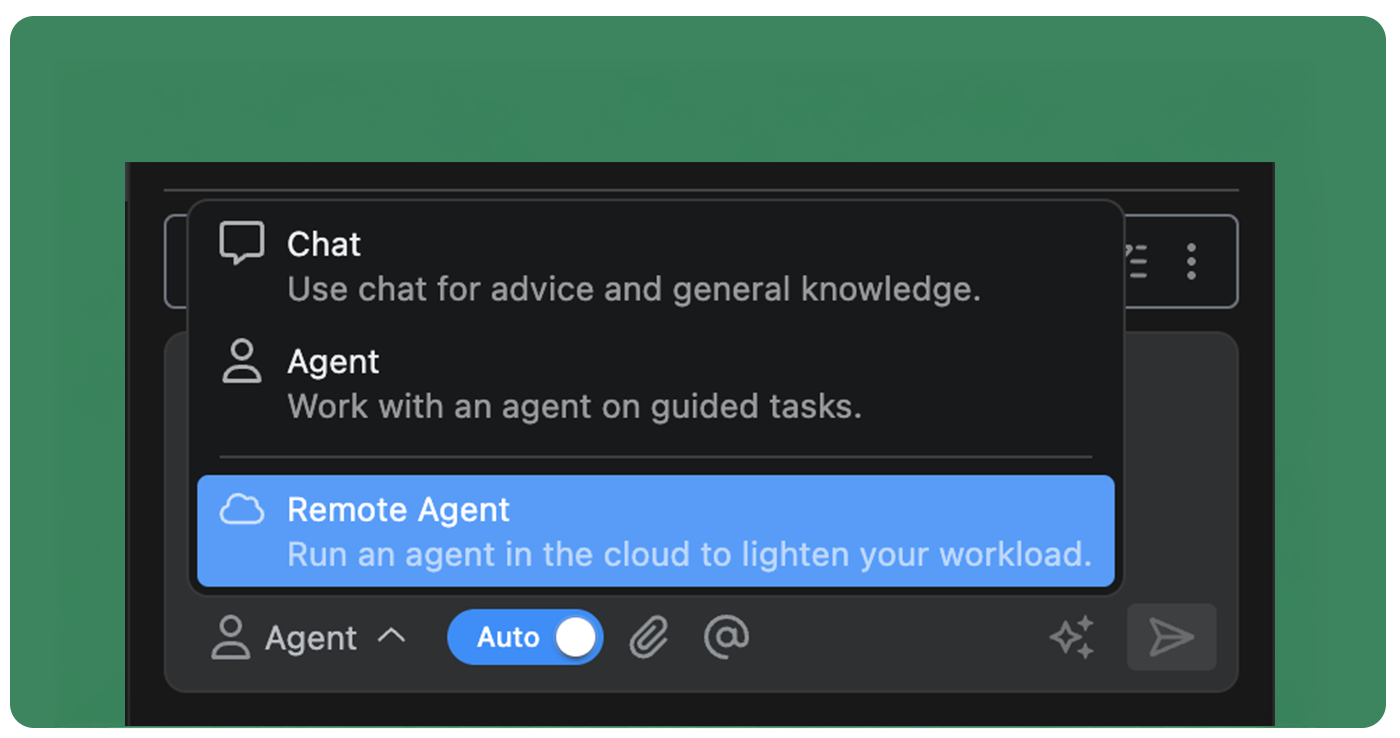
To start a new Remote Agent, simply open the Augment panel and select Remote Agent from the drop down in the input box.要启动新的远程代理,只需打开 Augment 面板,然后在输入框的下拉菜单中选择远程代理即可。
Agent dashboard 智能代理仪表板
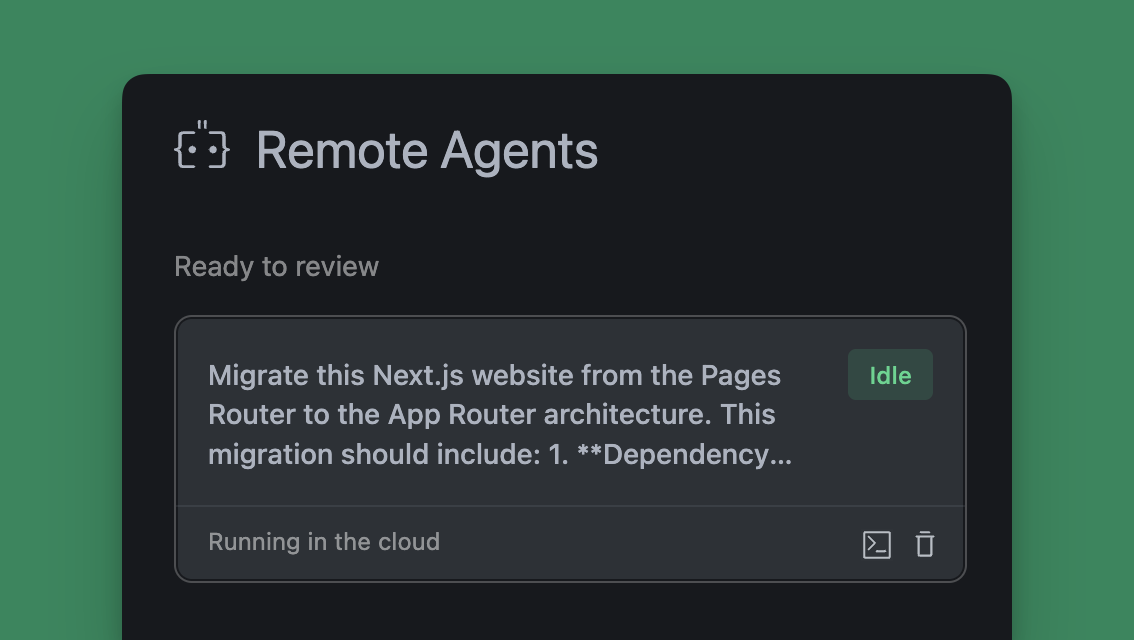
You can view all of your remote agents in the Remote Agent dashboard by clicking the Expand dashboard icon in the top of the Augment panel. From the dashboard you are able to see the status of all of your agents, connect to them through SSH, or delete them when they are no longer needed.点击增强面板顶部的“展开仪表板”图标,即可在“远程代理”仪表板中查看所有远程代理。通过该仪表板,您可以查看所有代理的状态,通过 SSH 连接到它们,或在不再需要时删除它们。
Using Remote Agent 使用远程代理
Remote Agents function nearly identically to IDE-bound agents as you work through your tasks and projects. Because they run asynchronously in the cloud, you can access and manage them while working on other projects in your editor. Access your Remote Agents from the threads menu at the top of the Augment panel or through the Remote Agent dashboard. You can create and manage a Remote Agent for any repository you have access to through GitHub regardless of which project you are currently working on in your editor.你可以通过 GitHub 为你有权访问的任何仓库创建和管理远程代理,无论你当前在编辑器中处理的是哪个项目。
Create a remote agent 创建一个远程代理
Before you can use Remote Agent, you will need to connect your GitHub account to enable the agent to clone your repository, create branches, and open pull requests. See Agent Integrations for setup instructions.
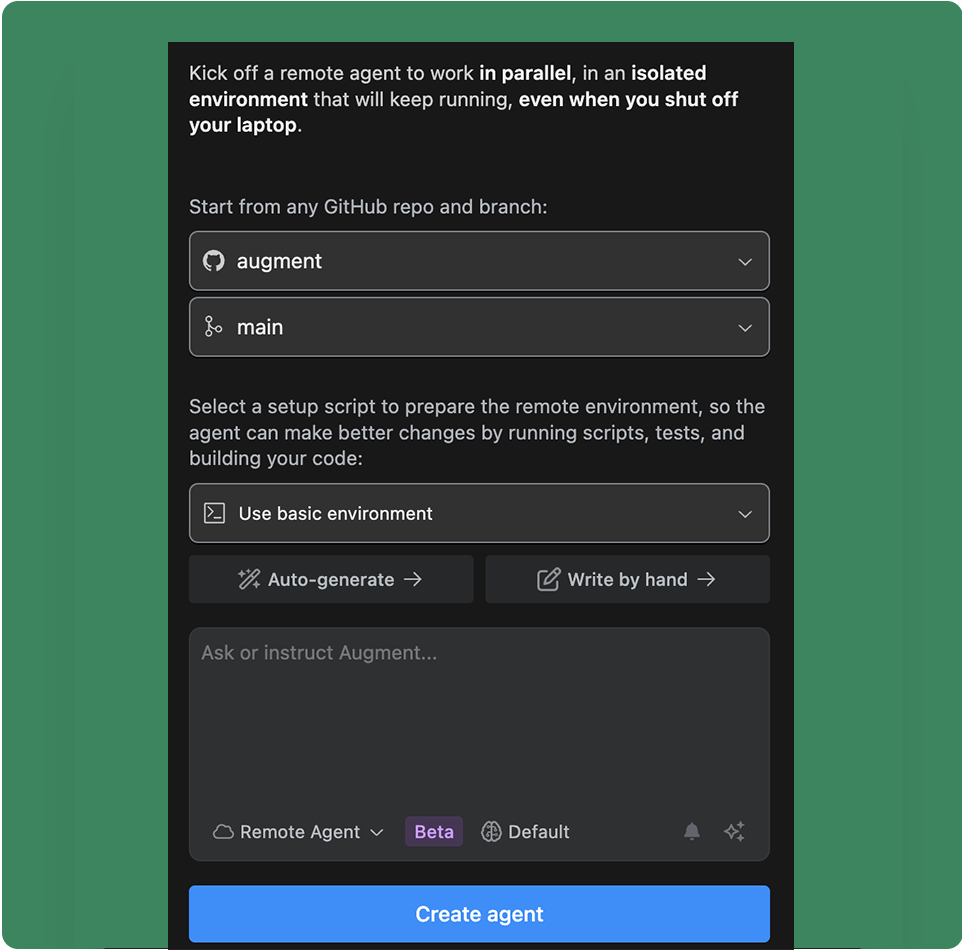
- Select the repository you want the agent to work on
- Select the branch or let the agent create a new branch for you
- Select an environment or create a new one for the agent to run in
- Enter your prompt into the input box using natural language and click Create agent
Agent environment
Each Remote Agent runs in an secure, independent environment in the cloud. This enables each agent to have its own workspace, copy of the repository, and virtualized operating system to run other tools and commands. You can use the base environment, or setup a custom environment using a bash script to configure the tools the agent will need to complete the task. See Remote Agent Environment for more details on customizing the agent environment.Agent notifications
By default, you will receive a notification in VS Code when the agent has completed a task or needs your attention. You can disable notifications for a remote agent by clicking the bell icon in the theads list of the Augment panel.Iterating with an agent
Once an agent has completed the task, you can continue to iterate with the agent by sending additional messages. The agent will continue to work on the task, using its past conversations as context. If you need to switch to editing files directly, you can connect to the agent environment over SSH. See Connecting to a Remote Agent for more details.Reviewing changes 查看更改
You can review every change Agent makes by clicking on the action to expand the view. Review diffs for file changes, see complete terminal commands and output, and the results of external integration calls.你可以通过点击操作展开视图,来查看 Agent 所做的每一个更改。查看文件更改的差异,查看完整的终端命令和输出结果,以及外部集成调用的结果。

Stop or guide the Agent
You can interrupt the Agent at any time by clicking Stop. This will pause the action to allow you to correct something you see the agent doing incorrectly. While Agent is working, you can also prompt the Agent to try a different approach which will automatically stop the agent and prompt it to correct its course.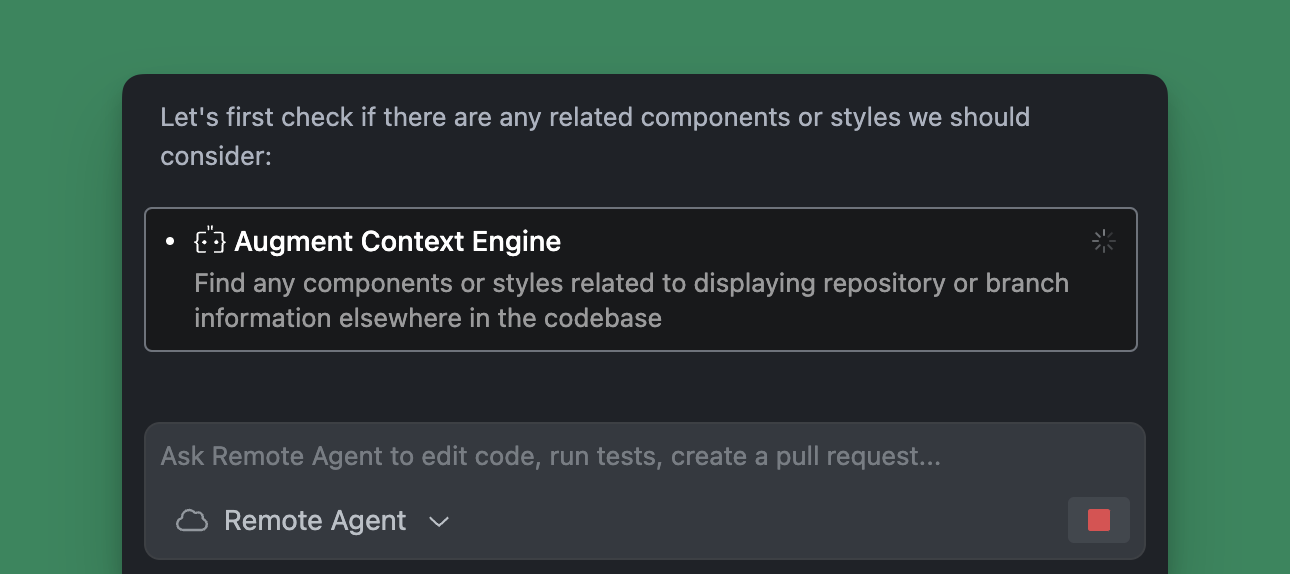
Connecting to a Remote Agent environment
You will need to have the Remote-SSH extension installed in Visual Studio Code to connect to a remote agent. If you do not have it installed, you will be prompted to install it automatically.
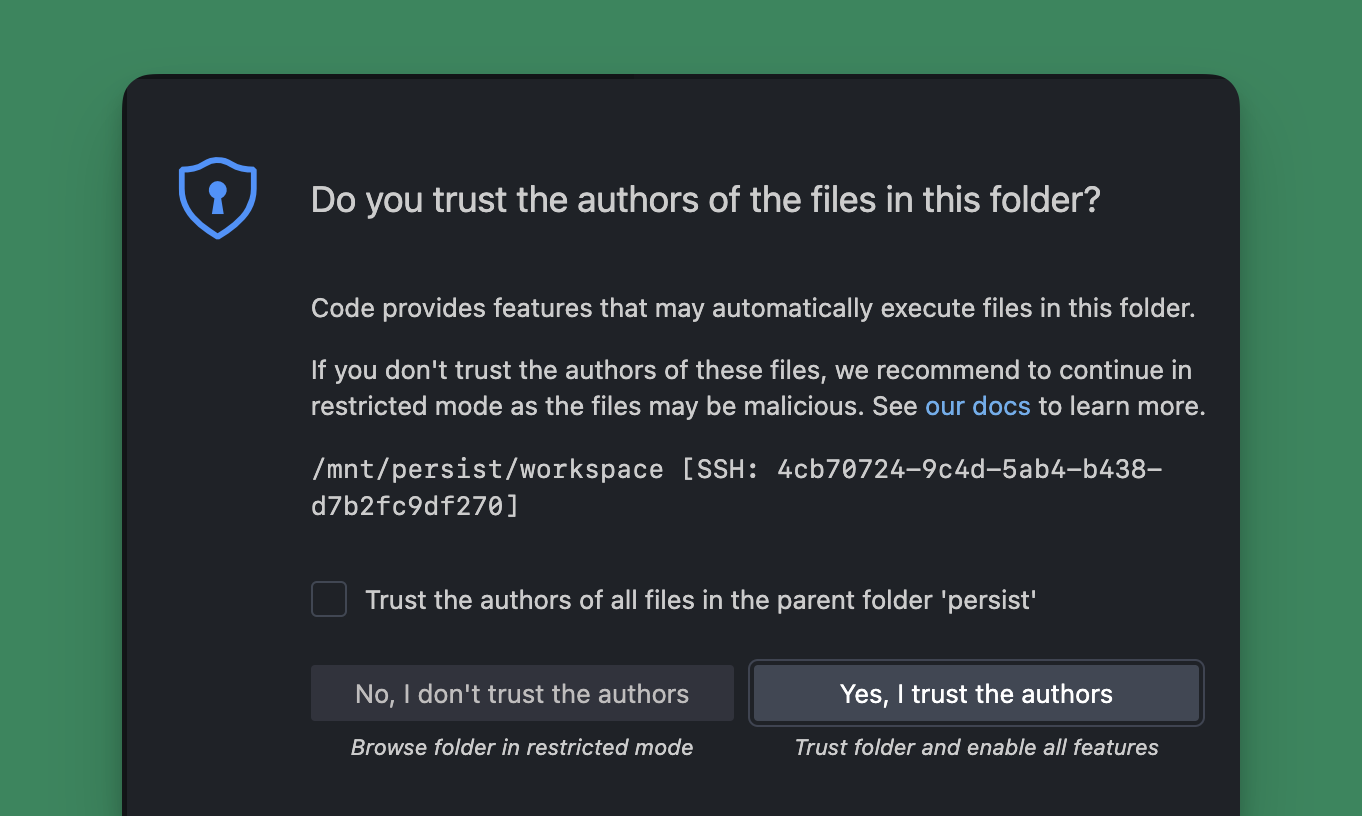 You can use the new VS Code window to view and edit files, run commands in the terminal, and generally interact with the agent just like you would a local IDE-bound agent.
Opening a Pull Request
When the agent has completed the work, you can open a pull request to have your changes opened for review and merging into the main branch. Select the agent from the threads list and click Create a PR. The agent will create a branch, commit the changes, and open a pull request for you. This will send a user message that will count against your quota.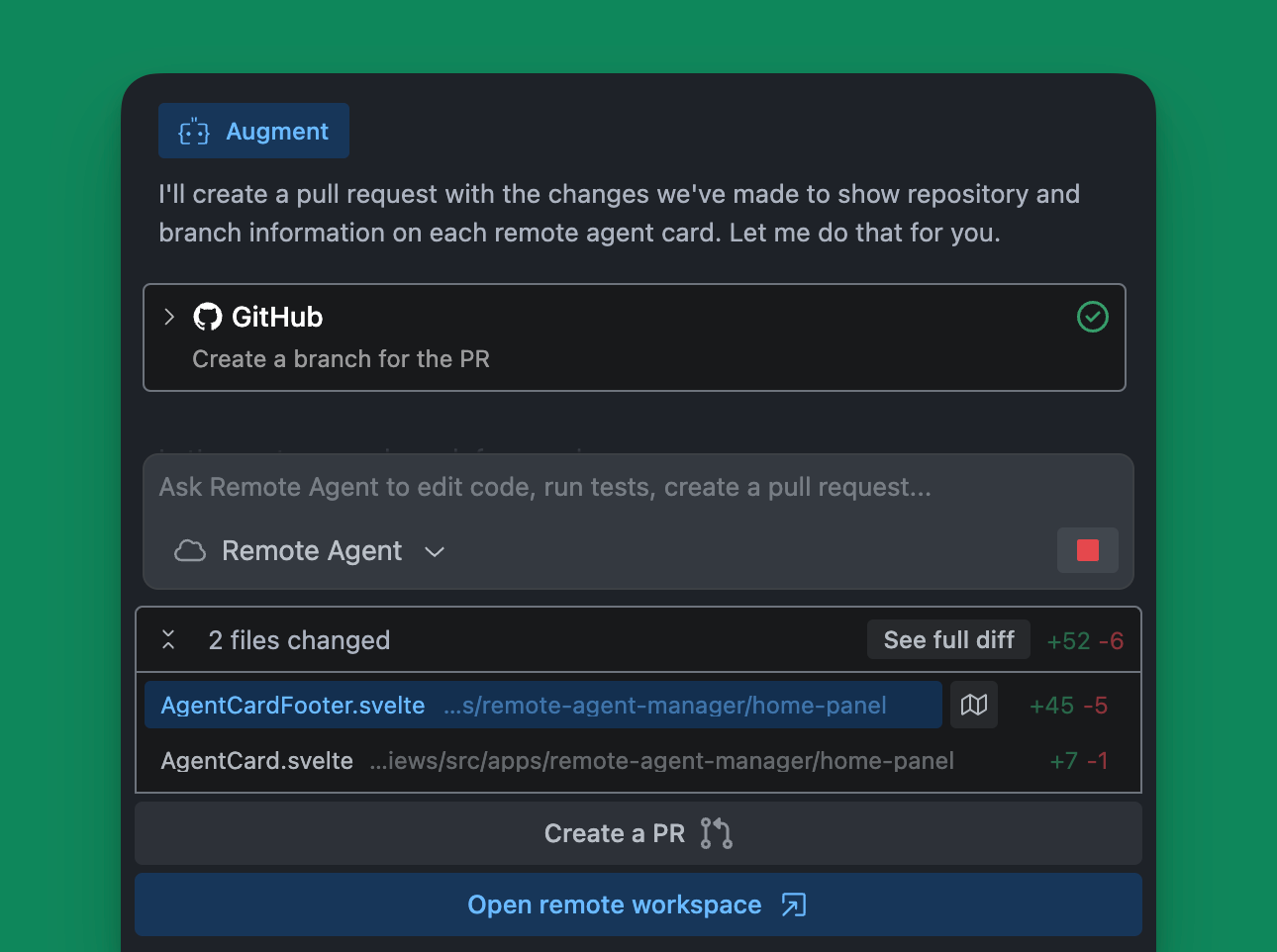
Resuming a Remote Agent
Remote Agents automatically pause after completing a request or remaining idle for a period of time. To resume a paused Remote Agent, either click Open a remote workspace or send a new message to the agent. Both actions will count against your user message quota.Comparison chart
Agent takes Chat to the next level by allowing Augment to do things for you-that is create and make modifications directly to your codebase. Chat can explain code, create plans, and suggest changes which you can smartly apply one-by-one, but Agent takes it a step further by automatically implementing the entire plan and all code changes for you.| What are you trying to do? | Chat | Agent | Remote Agent |
|---|---|---|---|
| Ask questions about your code | ☑️ | ✅ | ✅ |
| Get advice on how to refactor code | ☑️ | ✅ | ✅ |
| Add new features to selected lines of code | ☑️ | ✅ | ✅ |
| Add new feature spanning multiple files | ✅ | ✅ | |
| Document new features | ✅ | ✅ | |
| Open Linear tickets or start a pull request | ✅ | ✅ | |
| Start a new branch in GitHub from recent commits | ✅ | ✅ | |
| Automatically perform tasks on your behalf | ✅ | ✅ | |
| Work on multiple tasks in the same repository | ✅ | ||
| Continue working after closing VS Code | ✅ |
Use cases
Use Remote Agent to handle various aspects of your software development workflow, from simple configuration changes to feature implementations. Remote Agent is best for discreet tasks that can be completed in isolation from other work. Remote Agent supports your daily engineering tasks like:- Make quick edits - Create a pull request to adjust configuration values like feature flags from FALSE to TRUE
- Fix papercuts - Fix small bugs or issues in the codebase that never make it to the top of your TODO list
- Perform refactoring - Move functions between files while maintaining coding conventions and ensuring bug-free operation
- Explore alternatives - Run multiple remote agents to create alternative solutions to a problem
- Start a first draft for new features - Start a pull request (PR) with implementing entirely new functionality straight from a GitHub Issue or Linear Ticket
- Start tickets in Linear or Jira - Open tickets and ask Agent to suggest a plan to address the ticket
- Create test coverage - Generate unit tests for your newly developed features
- Generate documentation - Produce comprehensive documentation for your libraries and features